
Welcome Back !!
In this blog, we will be discussing about NSX Identity firewall also referred as IDFW and will implement one of the rule for the same.
Below are the High level points which we will be discussing in this blog.
- What is IDFW ?
- When to use IDFW ?
- How to enable it ?
- Write an IDFW rule.
- Validation
What is IDFW
- IDFW enhances traditional firewall by enabling it to write firewall rules on the basis of identity.
- We can integrate an Active Directory, users or group part of same AD can be used in firewall rule definitions.
- User identity can be used as source only & not at Destination in a firewall rule.
- Only applicable for Distributed Firewall not for Gateway firewall.
- Active Directory / LDAP is a prerequisite, as we going to consume this for source field during firewall rules creation.
When to use IDFW
- One of the major use case which I see is to manage an environment where simultaneous logins are needed by multiple users, Example VDI sessions , RDSH , Jump Servers.
- We can filter access requirement via AD groups like Group X can access the target machine but not Group Y.
ENABLE AN IDENTITY FIREWALL
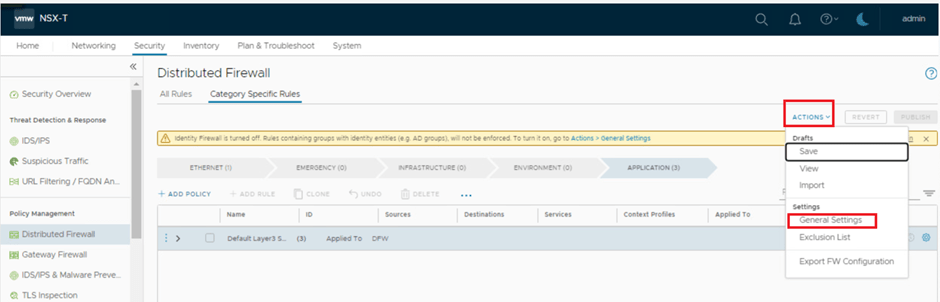
IDFW is disabled by default, we need to enable it via below option.
Security > Distributed Firewall > Actions > General Settings > Identity Firewall Status > ON

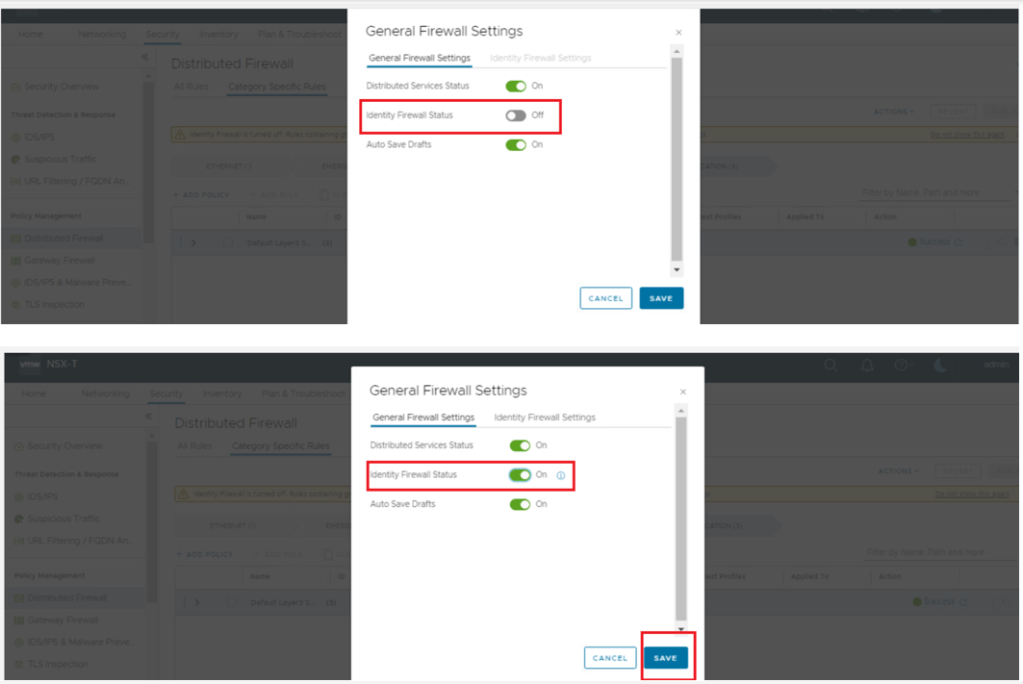
Once we enable IDFW , we have an option to enable the same over specific clusters & standalone Hosts.
In our use case we have enabled it on compute-cluster only.

ADD AN ACTIVE DIRECTORY DOMAIN
- Adding an active directory is a prerequisite for IDFW , since we will be using users or group in the source field of firewall rule.


CREATE AN IDENTITY FIREWALL RULE
- Once we have integrated the AD, we are good to proceed with IDFW rule creation.
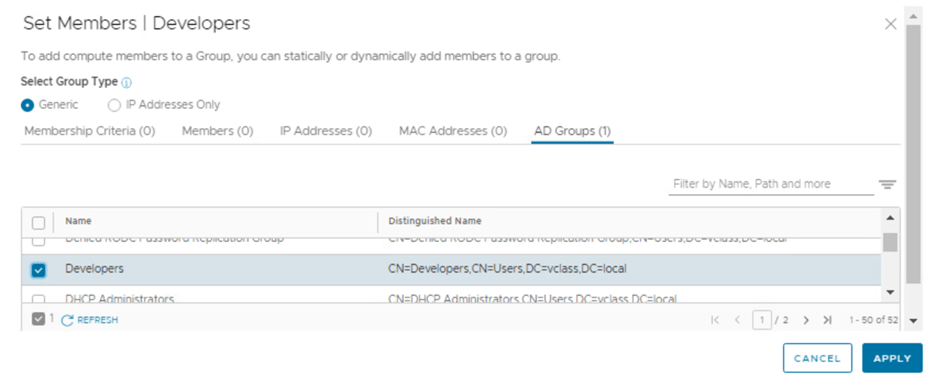
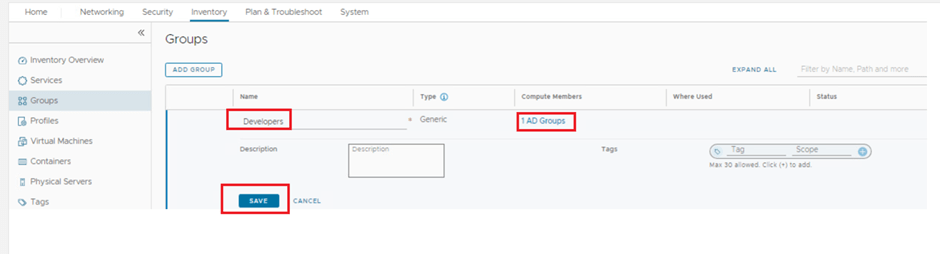
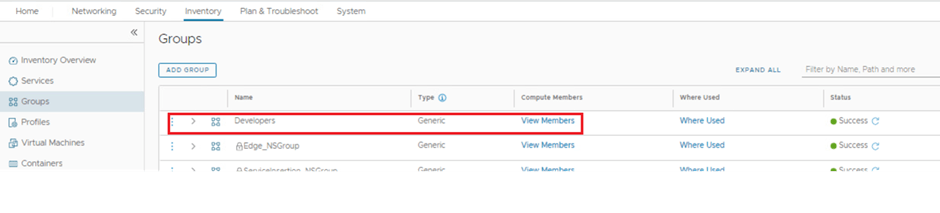
- Lets create a user group in NSX inventory named developers which already exists under AD we integrated.
- Idea to add this under NSX inventory is to recall this group to DFW rule.


Create an IDFW policy
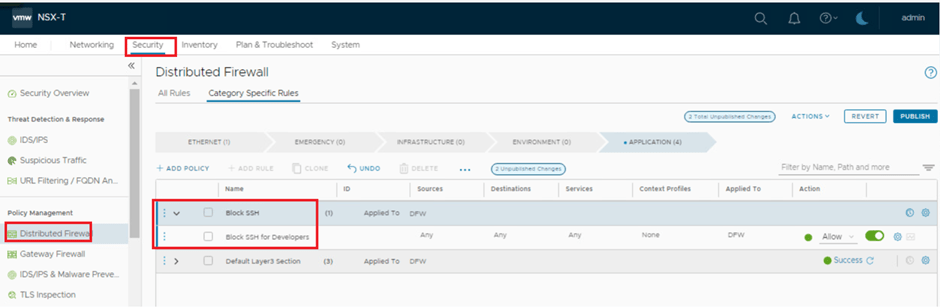
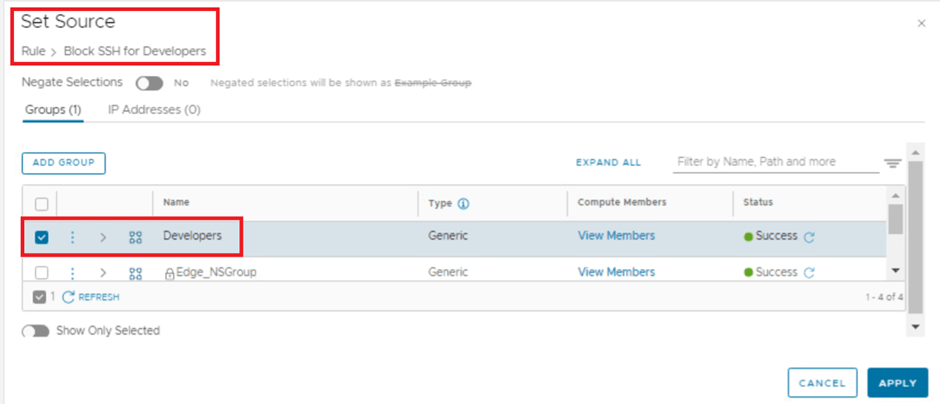
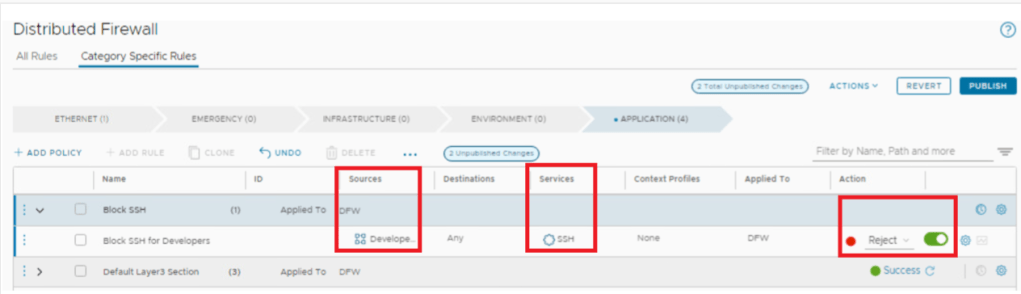
- Lets create a policy for block SSH traffic for users part of developers AD group.
- Rule Definition : If Any user part of Developers AD group access any destination on TCP 22 / SSH , it will be rejected.

Validation
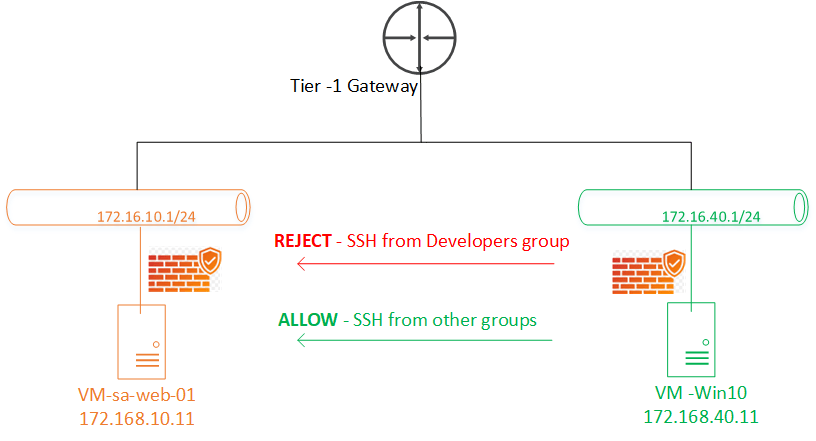
- Added Below topology for easier reference.
- For our testing , source machine is VM-Win10 which can be a VDI or a jump server.
- Requirement is – if a user from developers group login to this Jump Server & access VM-SA-Web-01 on port TCP22/ SSH it should be rejected , others services will be accessible only, we have tested with ICMP, which is working.
- However from the same Jump Server if any other user not part of developers group access the same server via SSH, it will work.

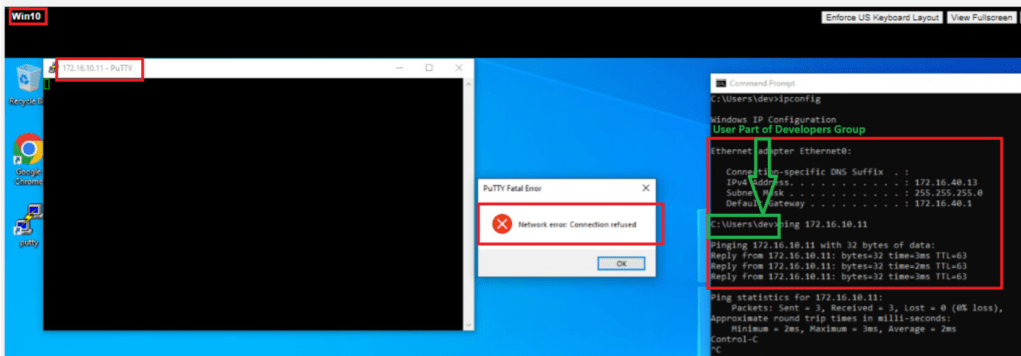
- User from Developers group is not able to SSH 172.168.10.11 / VM-sa-web-01 from VM-Win10.
- ICMP is still working.
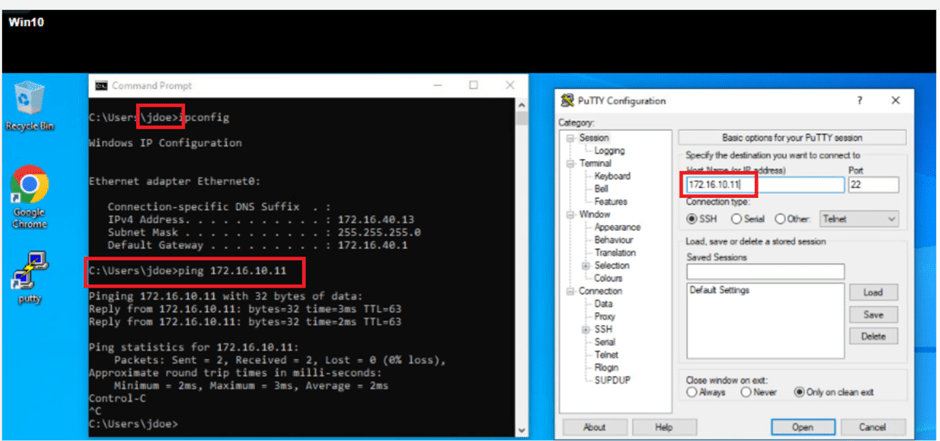
- User from NON developers group is able to SSH 172.168.10.11 / VM-sa-web-01 from VM-Win10.
- ICMP is still working.

- Lets disable the current rule for a while & retest from Developers group user.
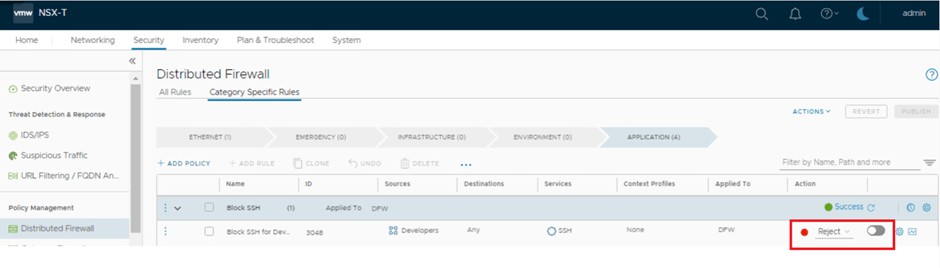
- Now user from Developers group is able to SSH 172.168.10.11 / VM-sa-web-01 from VM-Win10, which is the expected outcome.

This is it for today’s blog, we will discuss some new topic in upcoming blogs, stay tuned… !!
PS: any Improvement points or suggestions are welcome.
—–Thank You—–
Prashant Pandey

 NSXworld
Hello good afternoon Congratulations on the excellent post. My AD has more than 500 OUs and I see an error on the NSX side. Is there any guide that can help me do this integration via API?
LikeLike