

Welcome to NSXworld, today we will be discussing about DHCP & its configuration in VMware NSX.
DHCP is one of the important features available in NSX and can be used for dynamic IP address allocation to your hosts, NSX supports Segment DHCP server configuration on the downlink interface and the service interface. You can configure a Segment DHCPv4 server, or a Segment DHCPv6 server, or both, on the segment, before we consume DHCP services in NSX, Let’s talk about prerequisites which we need to take care of.
Prerequisites:
- Base build of NSX is configured, bit obvious.
- Edge nodes & Edge clusters are deployed.
- DHCP profile is configured in your network profiles. Networking > Network Profile > DHCP > Add DHCP Profile
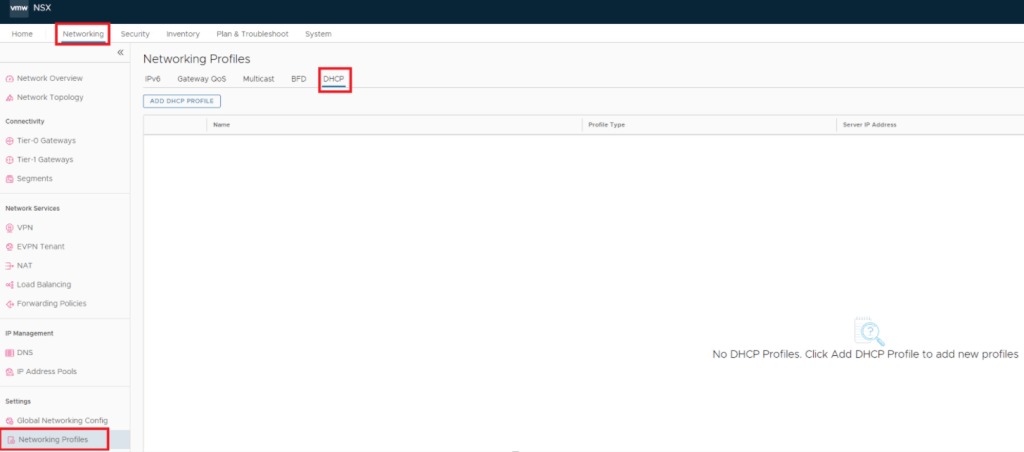
NSX has two types of DHCP Profile options.
- DHCP Server Profile – This is the profile which we use if DHCP server belongs to within NSX, like we have configured NSX gateway Tier-0 / Tier-1 or NSX segments as DHCP server.
- DHCP Relay Profile – To relay the DHCP traffic to remote DHCP servers. The remote or external DHCP servers can be in any subnet, outside the SDDC, or in the physical network.
There are three DHCP configuration types which we need to select while configuring DHCP for a segment, reference screenshot attached.
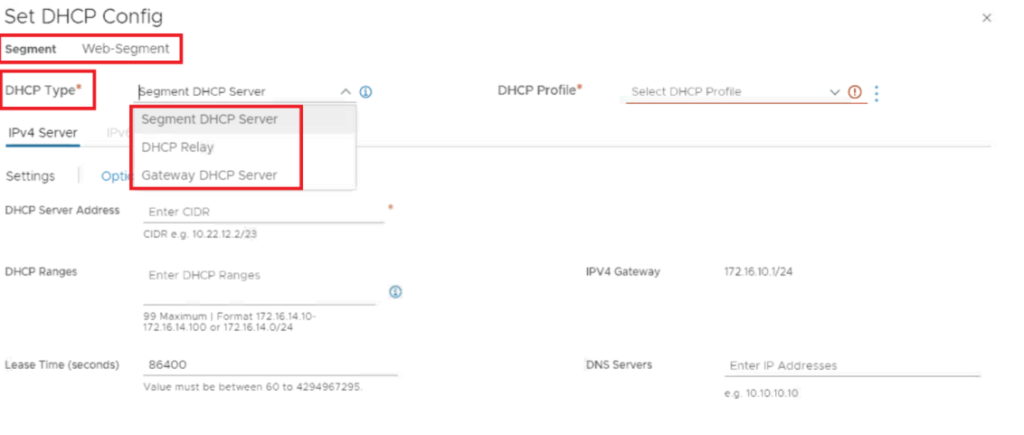
- Segment DHCP Server – The particular segment within the network will only act as a dedicated DHCP server, ensuring efficient distribution of IP addresses and maintaining proper configuration across devices connected to this segment at all times.
- Gateway DHCP Server – The segment will only have a range, but the gateway Tier-0 / Tier-1 will act as the DHCP server.
- DHCP Relay – No segment range is needed since the DHCP server will be residing remotely or externally; only need to provide the DHCP profile.
We will configure DHCP server over segment as well as on gateway in this blog one by one, lets start by creating DHCP profile.
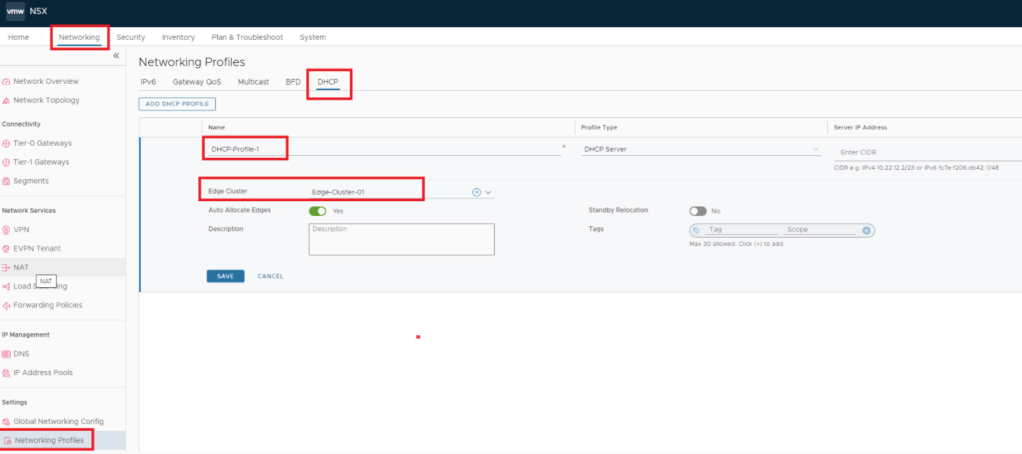
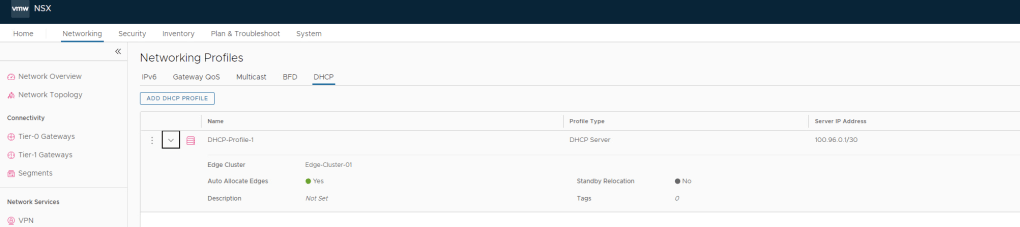
Next step – since we are done with DHCP profile, lets configure segment DHCP server, via editing a preconfigured segment, here i have chosen named App-Segment below.

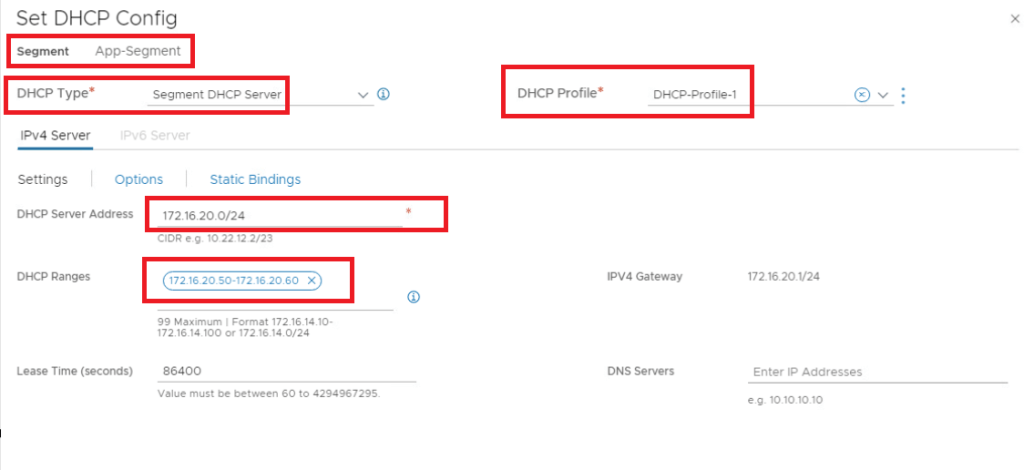
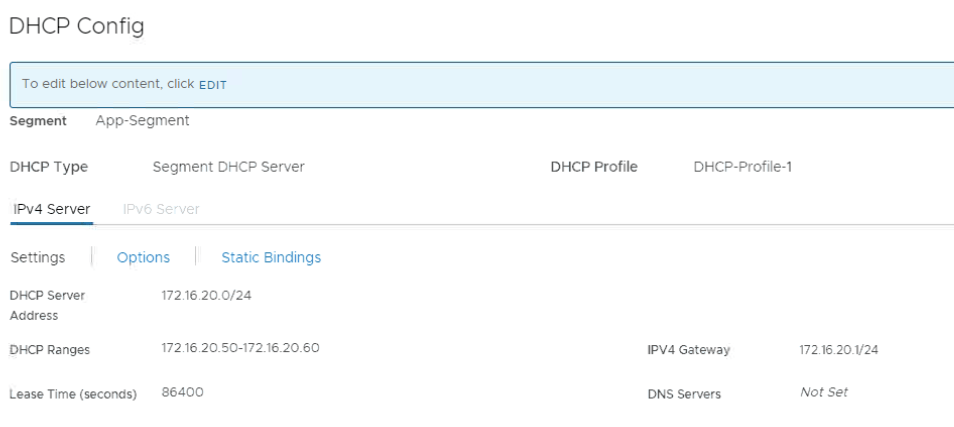
While adding DHCP config, it is mandatory to add subnet address and optional to have range, which should always be part of the configured subnet.
Here, I have configured 172.16.20.0/24 as subnet & 172.16.20.50-172.16.20.60 as range just for an example, so ideally if i now connect a VM to this segment VM should get the IP automatically from this range only, lets validate the same.

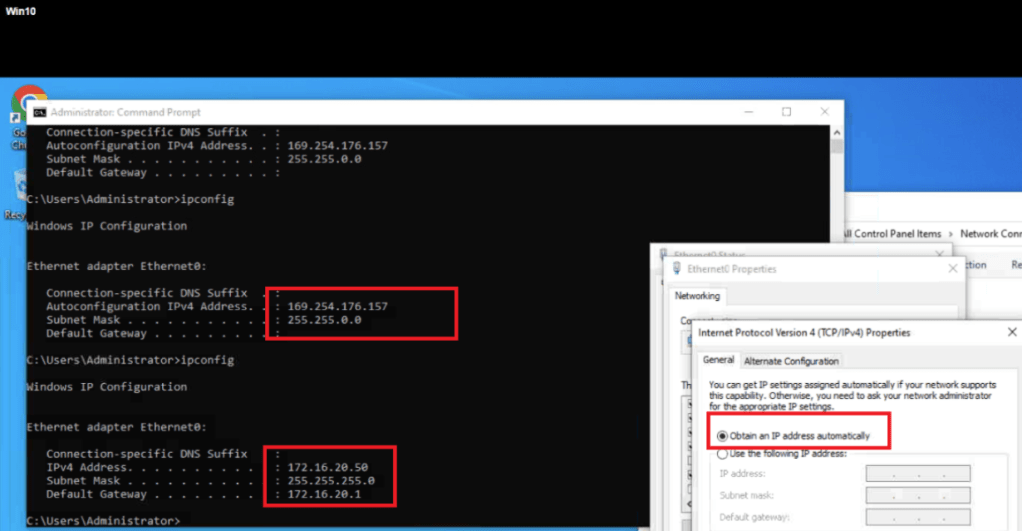
Note : Edge Cluster is mandatory for segment DHCP server configuration, else we get below error.
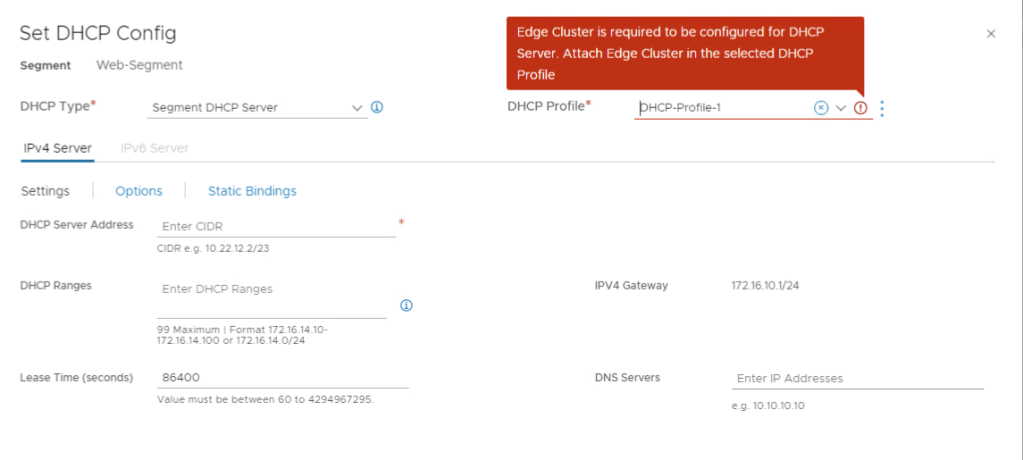
Lets configure Gateway DHCP server.
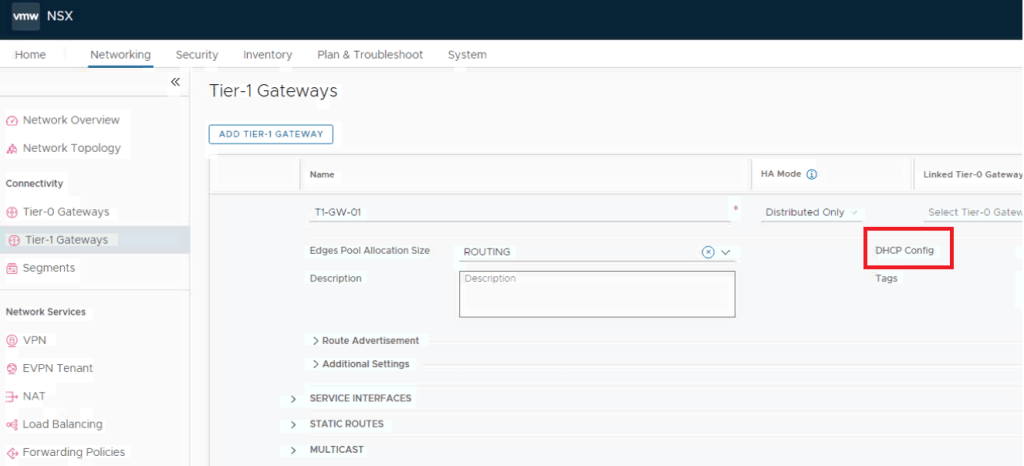
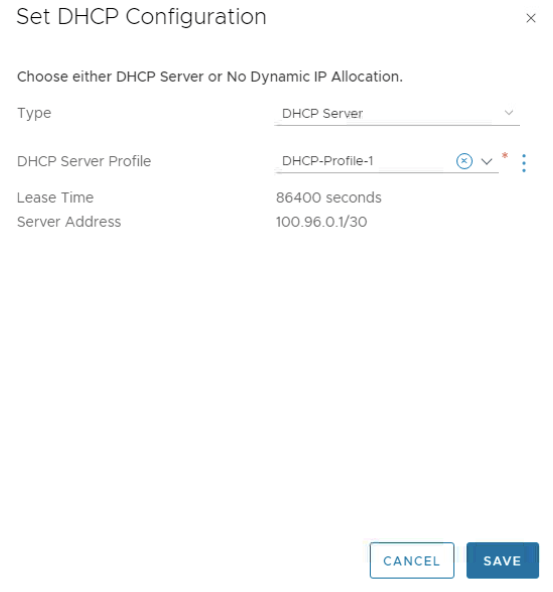

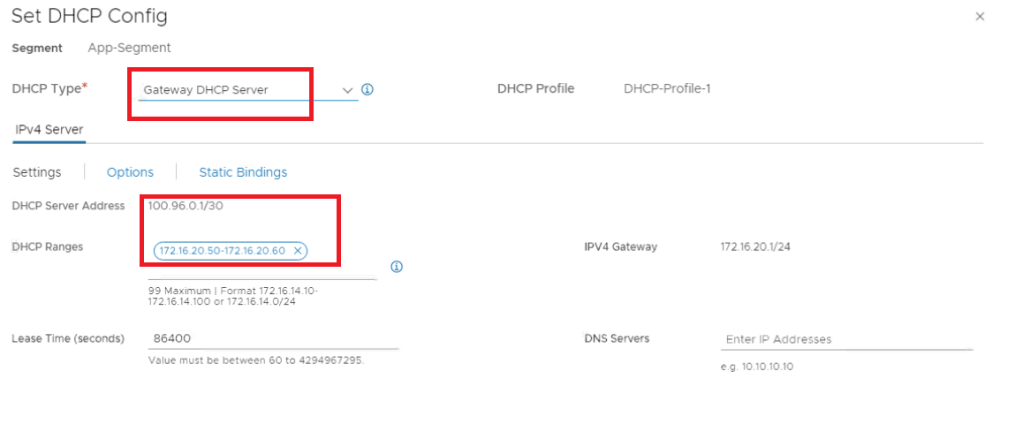
Important point to consider: Once you enable DHCP, Recommendation is to not change IP address of DHCP server in DHCP server profile and edge cluster which is offering DHCP services, it might lead to a loss of existing DHCP leases that are assigned to the DHCP clients.
This is it for today’s blog, we will discuss some new topic in upcoming blogs, stay tuned… !!
—–Thank You—–
Prashant Pandey

 NSXworld