
Welcome back to the new blog, today we will be discussing about Layer 2 VPN functionality & support in NSX.
Key Points –
- As the name itself clarifies – Layer 2 VPN is used to stretch or extend Layer 2 networks across multiple sites on same broadcast domain.
- VPN connection is secured via route based IPSec tunnel across sites between L2VPN server & L2VPN Client, where L2VPN Client service runs at Source & L2VPN Server service runs at Target site.
- Extended network via L2VPN is single broadcast domain, so IPs of VM doesn’t get change when they are moved and gateway resides at source site only until you cutover to target site.
- VNI and VLAN backed both network types are supported for extension between source to target.
- VLAN to VLAN supported.
- VNI to VNI supported.
- VLAN to VNI supported.
VNI to VLANnot a valid use case.
- L2VPN service is supported on T0 & T1 both, either L2VPN Client or L2VPN server service can be configured on a single T0 or T1.
- An L2VPN session can extend up to 4094 L2 segments.
The L2 VPN service is supported in following deployment scenarios.
- Between an NSX L2 VPN server and an L2 VPN client hosted on an NSX Edge that is managed in an NSX Data Center for vSphere environment. A managed L2 VPN client supports both VLANs and VNIs.
- Between an NSX L2 VPN server and an L2 VPN client hosted on a standalone or unmanaged NSX Edge. An unmanaged L2 VPN client supports VLANs only.
- Between an NSX L2 VPN server and an L2 VPN client hosted on an autonomous NSX Edge. An autonomous L2 VPN client supports VLANs only.
In today’s blog we will be discussing the use case with autonomous edge only, which will be acting as L2VPN client & our L2VPN server service will be running in target NSX environment.
Assumptions – NSX base build is already completed in target, we will deploy new Edge node & Tier-0 for L2VPN server service consumption, NSX autonomous edge node is deployed at source site but not configured.
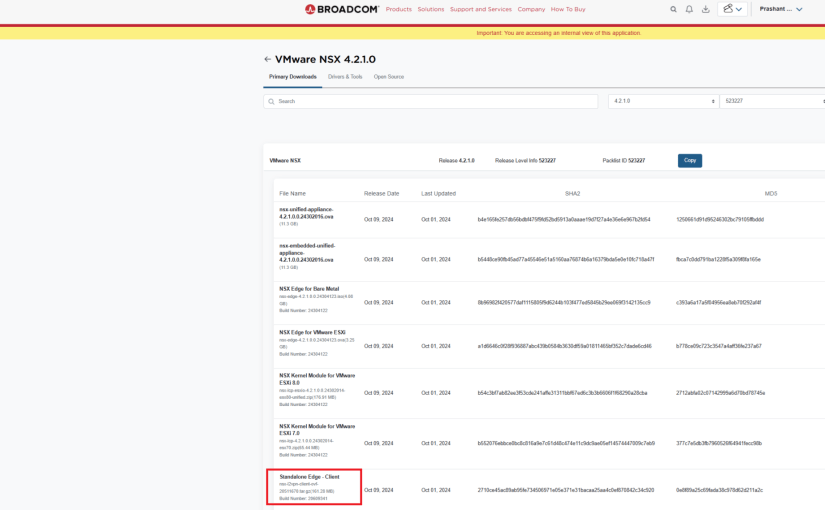
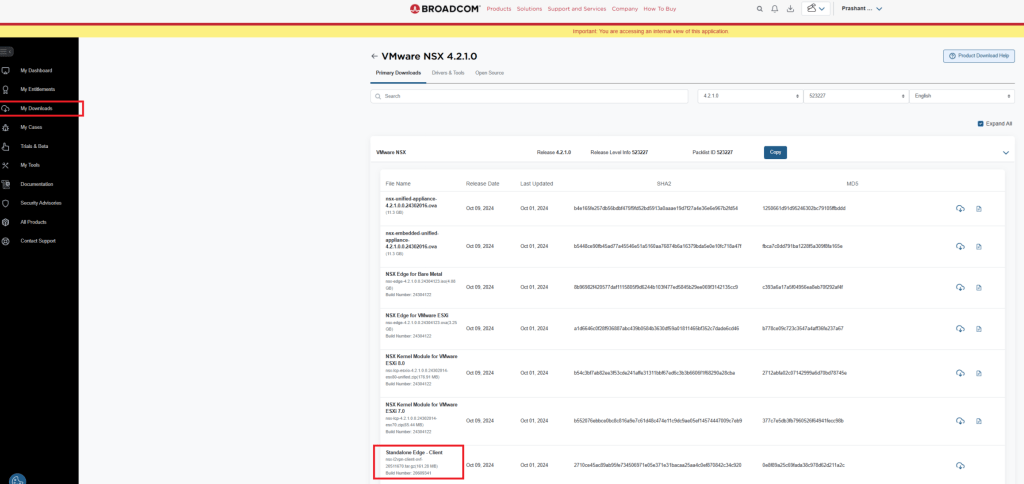
Path to download NSX autonomous OVA – https://support.broadcom.com
Below is the topology we will be using to discuss our use case.
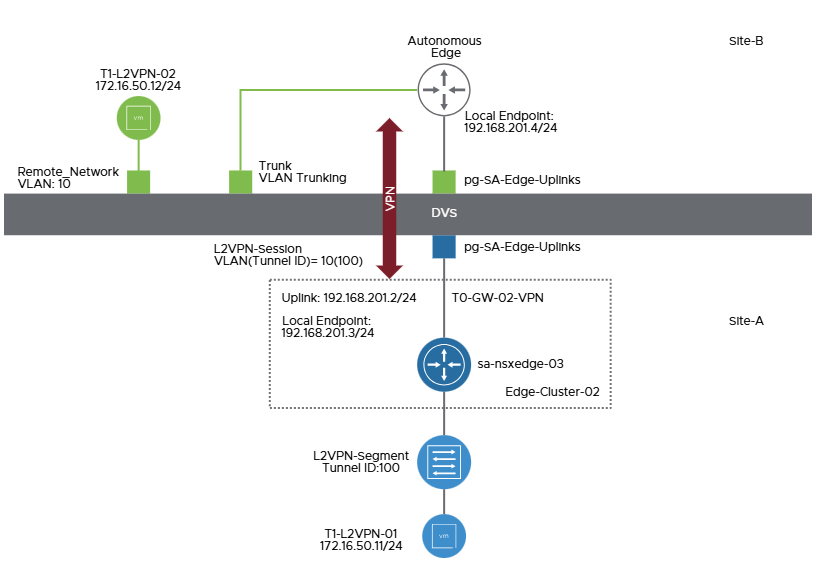
Above topology has been taken for reference from VMware documentation
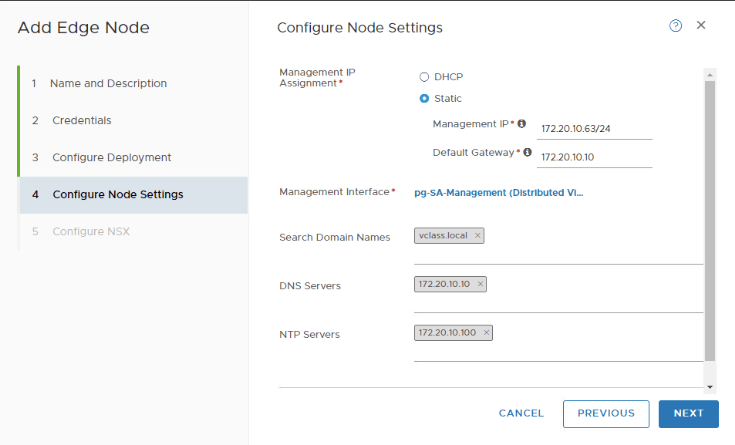
Deploy Edge Node in target to run L2VPN server service.
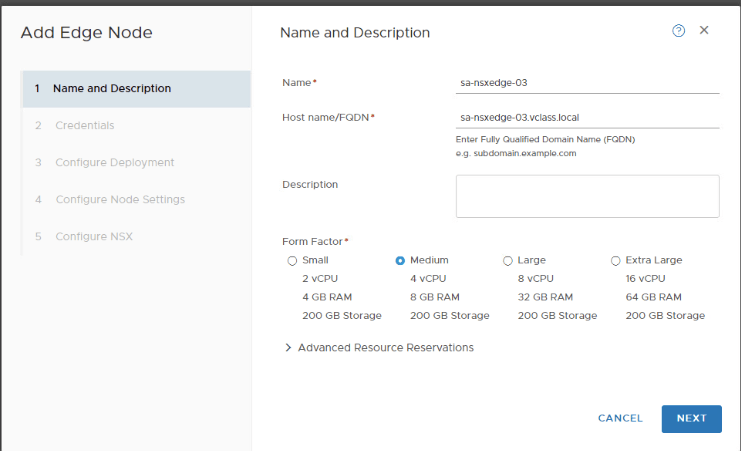


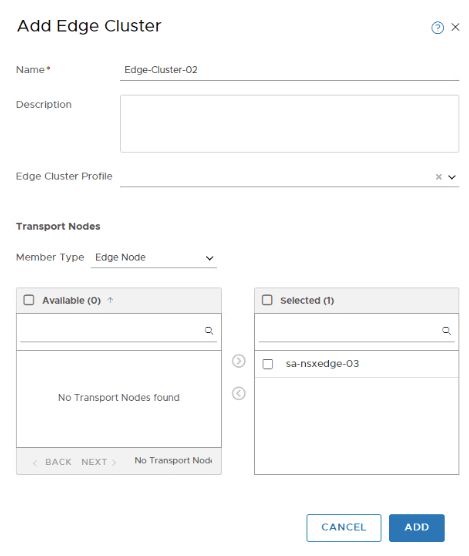
Create Edge Cluster to utilize this Edge node in Tier-0.

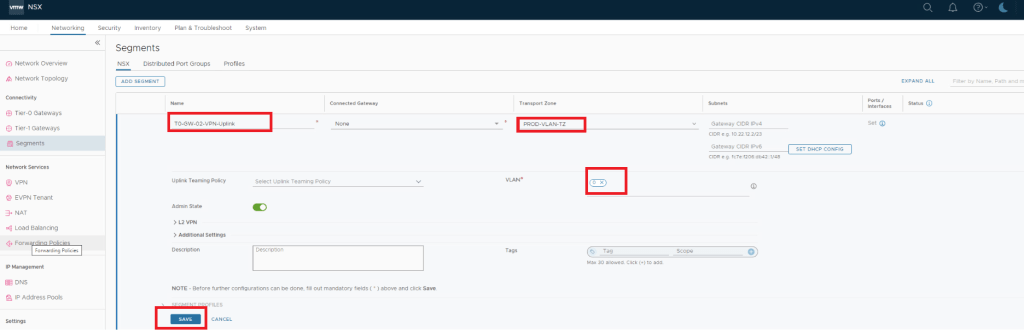
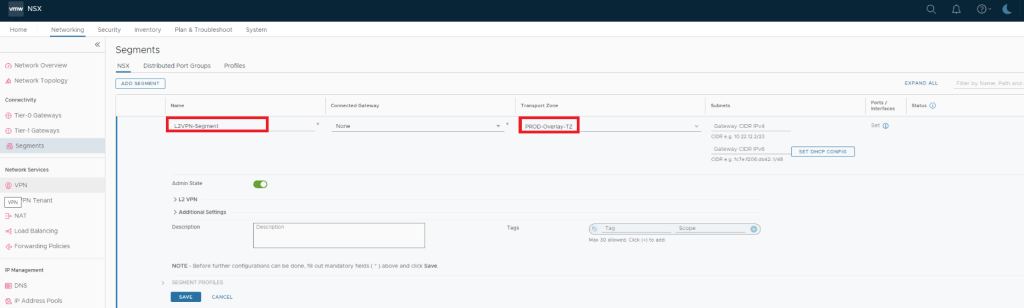
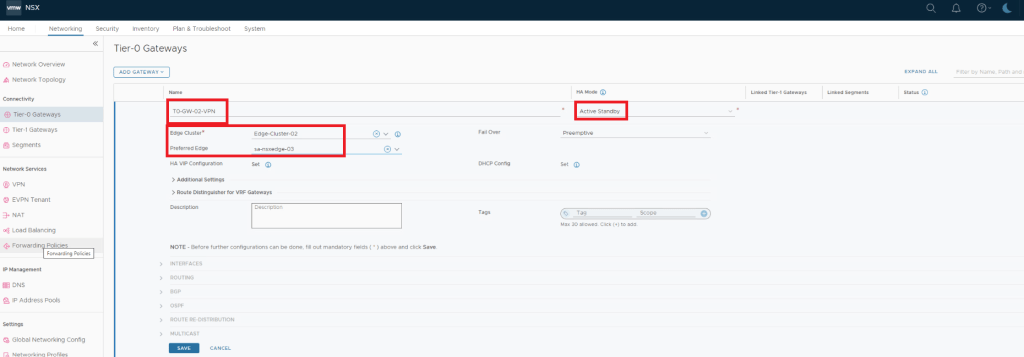
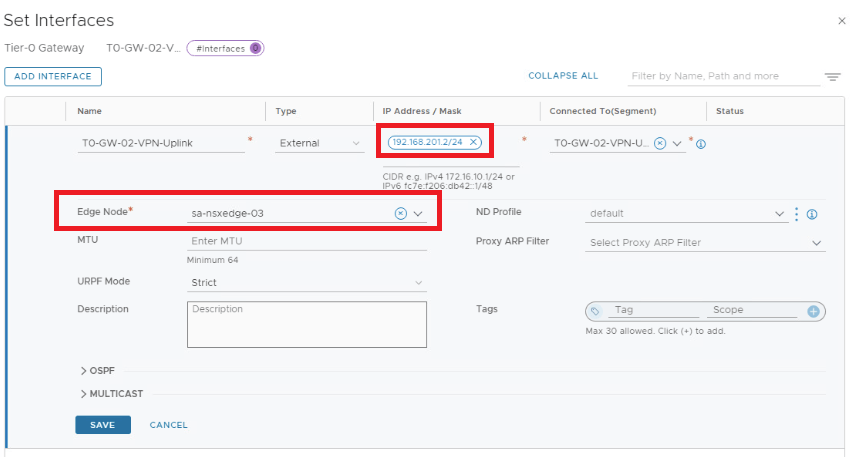
Deploy and Configure a New Tier-0 Gateway and Segments for VPN configuration.
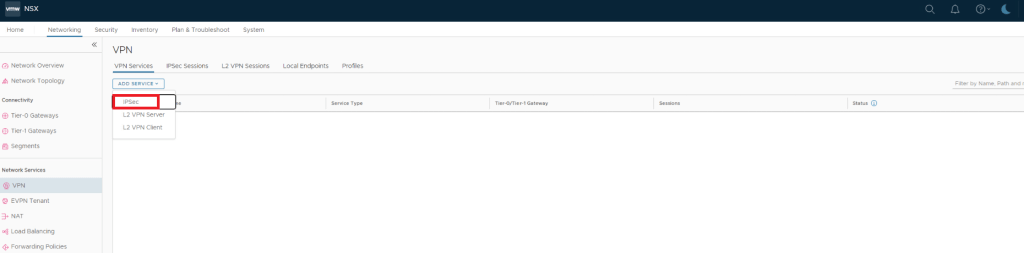
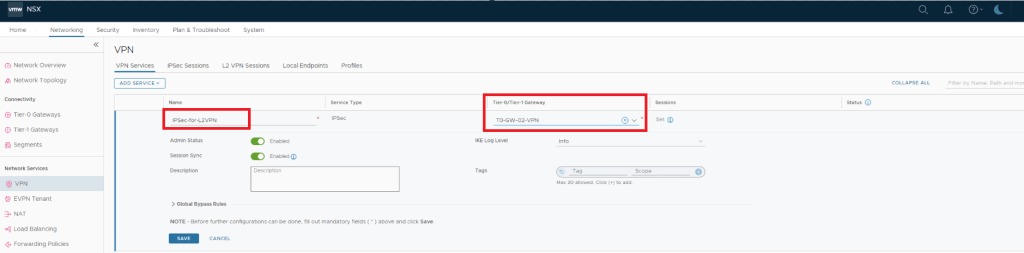
Create an IPSec VPN Service
An L2VPN session is secured by IPSec tunnel between L2VPN client & L2VPN server, so to create an L2VPN we first need to create IPSec service in NSX.
Create L2VPN Server
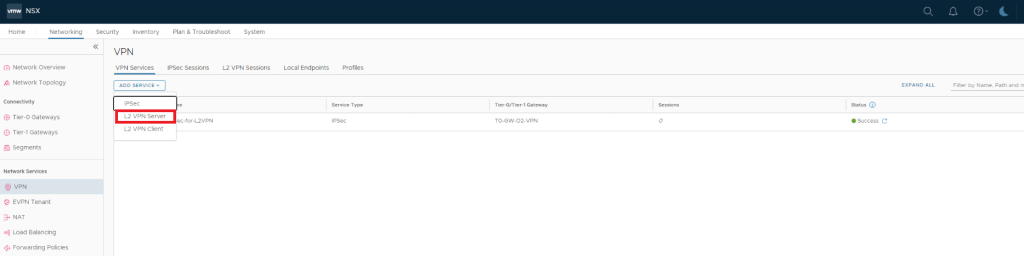
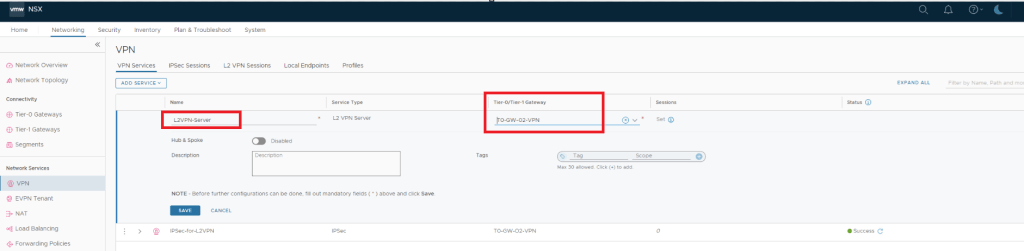

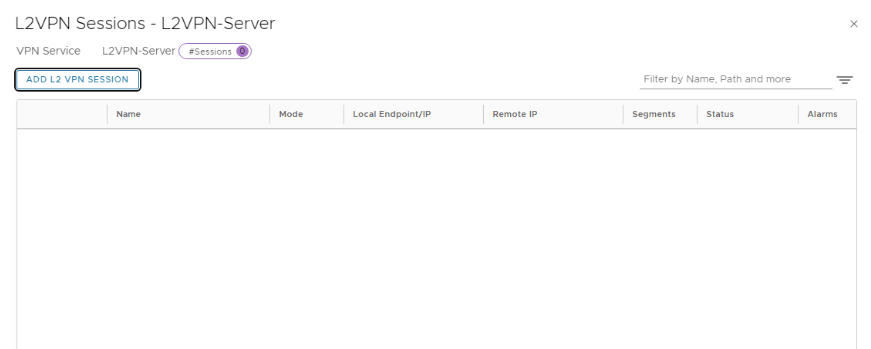
ADD L2 VPN SESSION
This is where we create & configure local endpoint , Remote IP , Pre-shared Key & tunnel interface.
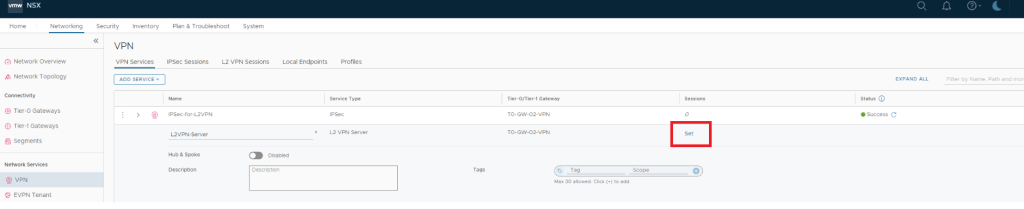
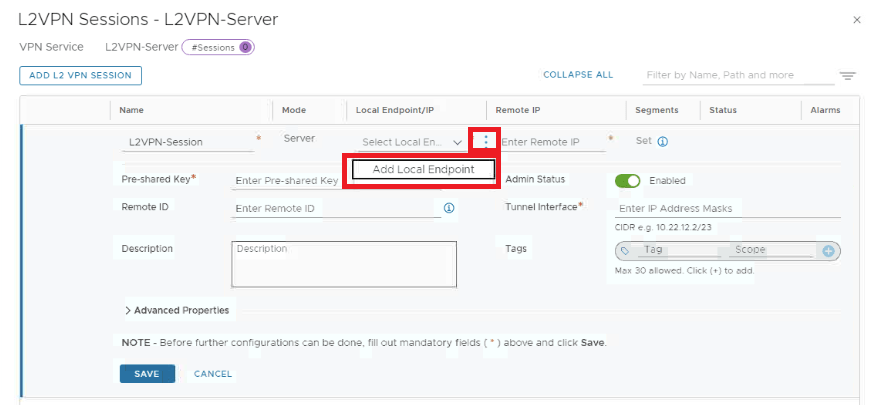
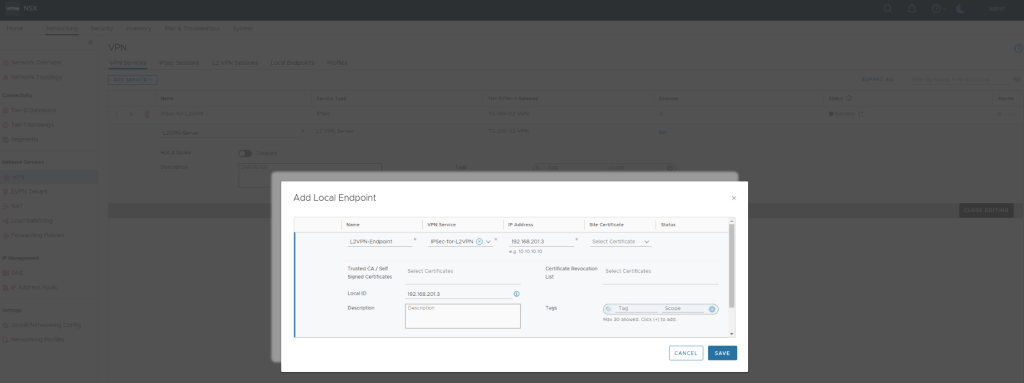
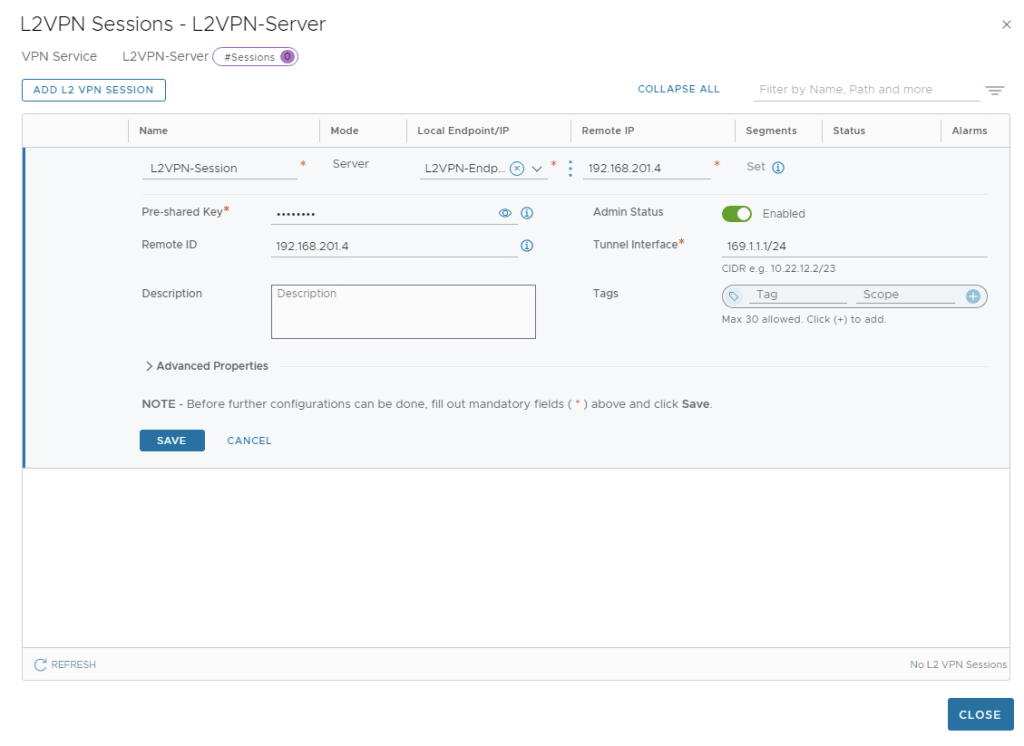
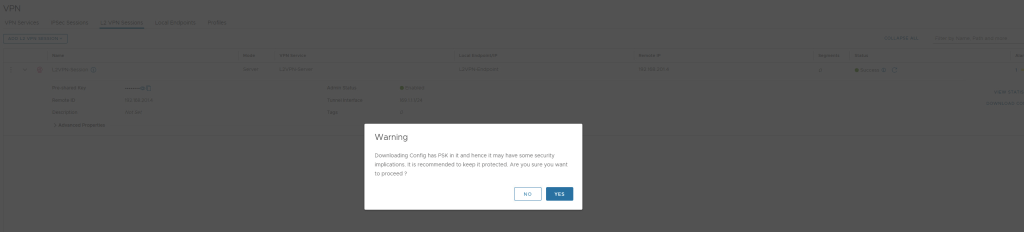
Once L2VPN server is configured, we need to download this configuration to configure L2VPN Client at source via Pre-deployed autonomous Edge Node.
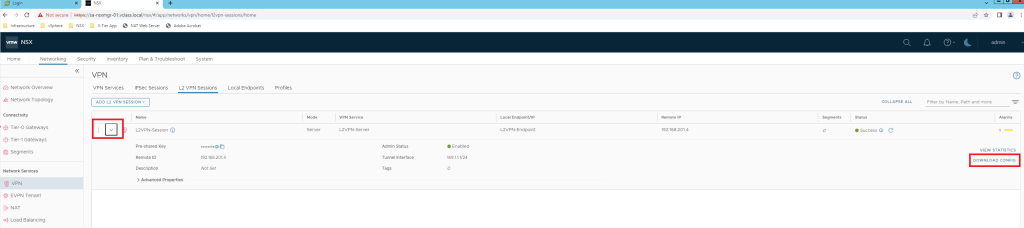

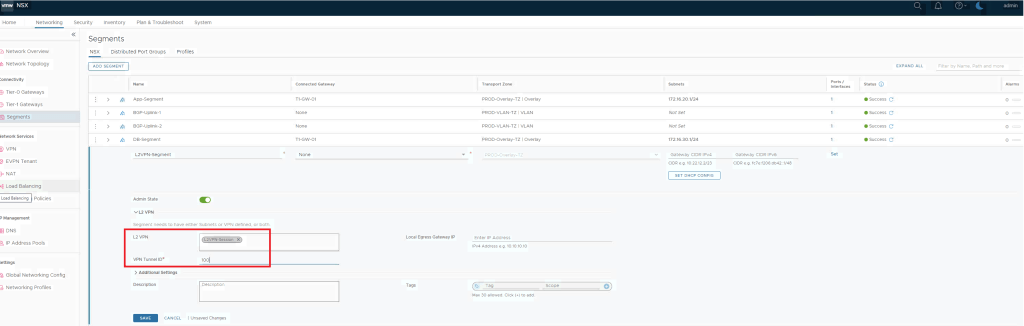
Also add L2VPN session in the segment which is going to be used for L2 Extention.
Configure Pre-deployed Autonomous Edge as an L2 VPN Client
Below are the steps to be followed to configure L2VPN Client.
- Download OVA via https://support.broadcom.com
- Configure with mgmt IP & trunk interface.
- Access UI of it.
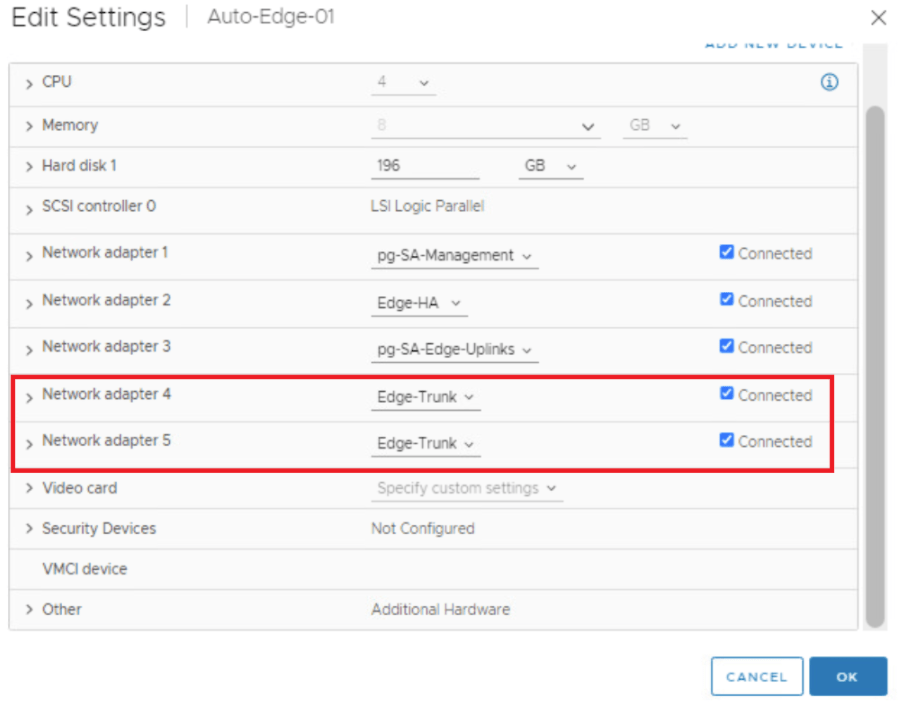
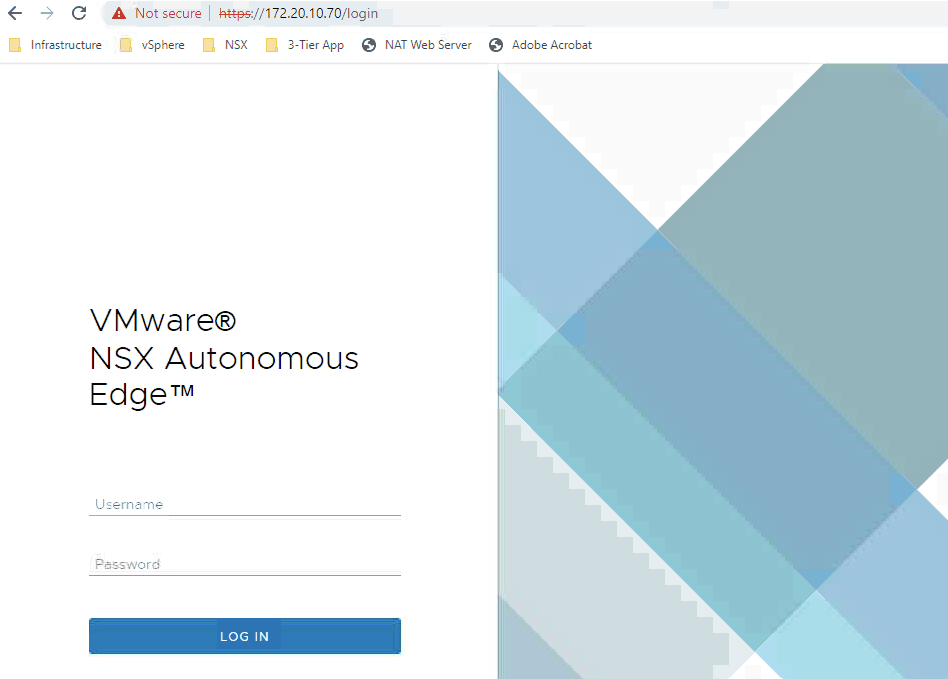
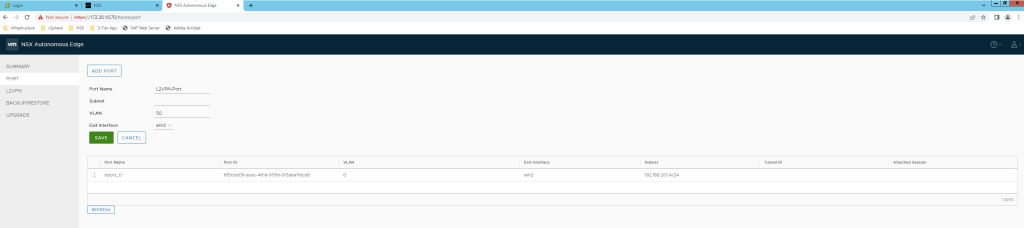
Configure Port.
Configure L2VPN session.
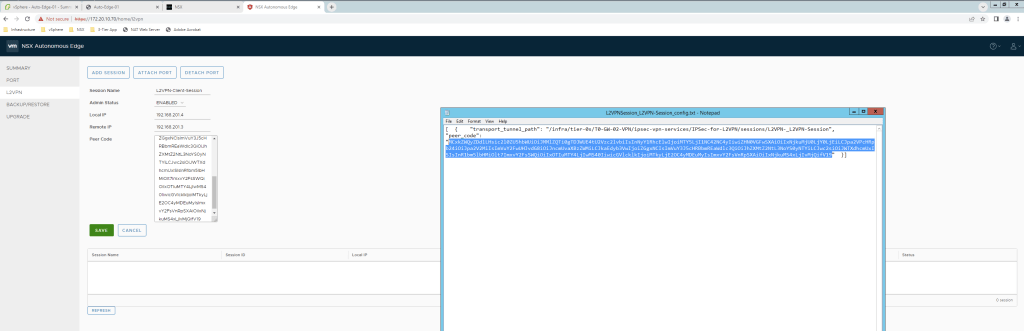
Make sure Wrap Text is selected & only peer code string is copied without colons.

Attach Port to this L2VPN Client.
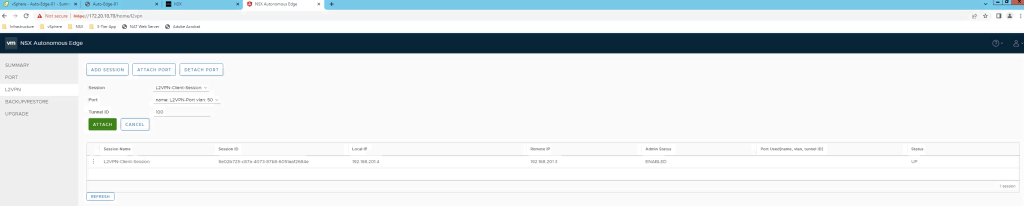

After Tunnel status looks up, time to validate VPN setup.
Attach Test VM on L2VPN segment.
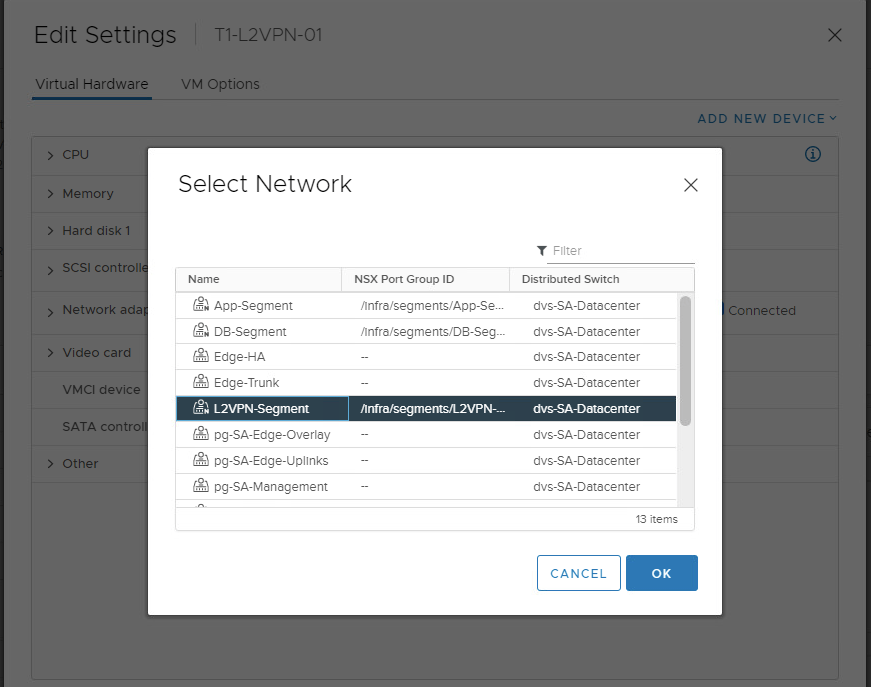
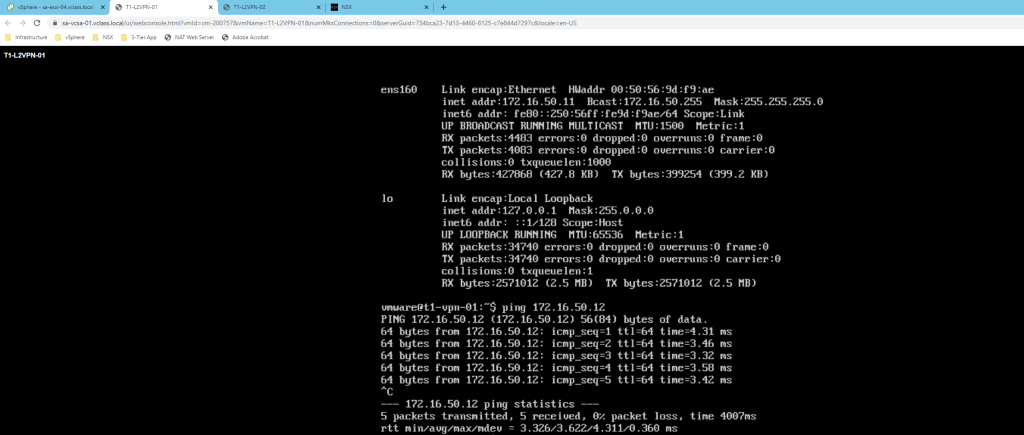
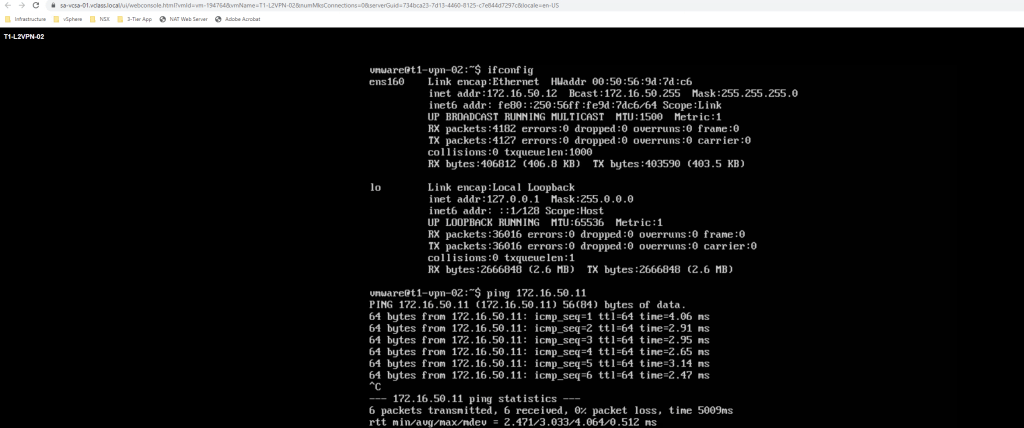
Test VM part of Target NSX environment are able to reach VM T1-L2VPN-02 placed at source side & vice versa.
This is it for today’s blog, we will discuss some new topic in upcoming blogs, stay tuned… !!
—–Thank You—–
Prashant Pandey

 NSXworld