

Welcome back to the new blog, today we will be discussing about Tier-0 A-A highavailabilty option with Stateful services enabled.
This is the option which got introduced with NSX 4.x version onwards to serve the customers who needs high throughput along with services.
Earlier to 4.x version, two deployment options were available for Tier-0 HA mentioned below:
Active- Active : Where all edges are dealing with traffic hence providing high throughput, Customer could use upto 8 Edges in ECMP mode, however the downside was if A-A highavailabilty is chosen, customer can’t use stateful services on this tier-0.
And had to rely on Tier-1 attached to Edge-Cluster for services.
Active Standby : Where only one Edge node will be dealing with traffic (ingress-egress) & other Edge Node will be standby, this was useful where Customer has requirements to confume stateful services like NAT, Gateway Firewall , IDS/IPS services etc.
Downside was to have limited throughput since only one edgenode is being used.
With this new high-availability feature customer can leverage the benefit of both of the earlier options, we will discuss & implement this in detail in this blog post.
Before we look at the implementaion piece, Lets talk about the supported topologies & Services.
GreenFeild Topologies
- Tier-1 stateful active-active gateways running stateful services must be connected to Tier-0 stateful active-active gateways and must be hosted on the same NSX Edge cluster.
- Tier-1 active-standby gateways can be connected to Tier-0 stateful active-active gateways but Tier-1 gateways must be hosted on a different NSX Edge cluster.
Brownfield Topologies
There are 4 brownfeild supported topologies, to keep this document short & crisp, I am attaching the reference link of the same.
The supported stateful gateway services are:
- Gateway Firewall L3-L4
- APP-ID (L7)
- User-ID
- URL Filtering
- TLS Inspection
- IDS/IPS
- Malware Detection and Sandboxing
- NAT
- DHCP Relay Server
- DHCP Server
The unsupported services are:
- FQDN Analysis
- L2VPN
- IPSecVPN
- Gateway Network Introspection
- Local DHCP Server
- Service Interface
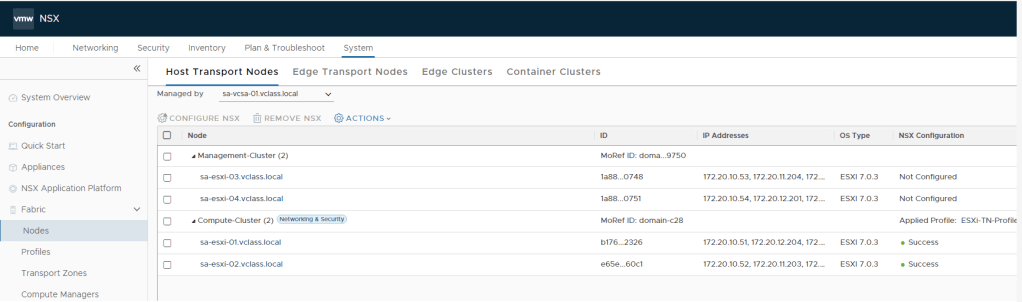
Lets Implement this in Lab & review the same, To keep this blog short, base build is already completed, like Cluster is already prepared for NSX, Edge nodes & edge cluster is deployed, required segments are already configured… so we will directly continue with Tier-0 deployment with Active-Active stateless HA and later will change it to stateful and then review what changes we see before & after.

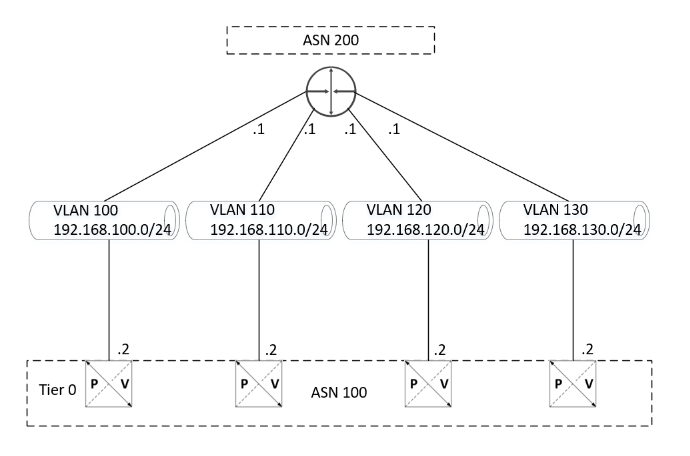
Let’s configure Tier-0 with A-A HA , below is the topology we will be using.
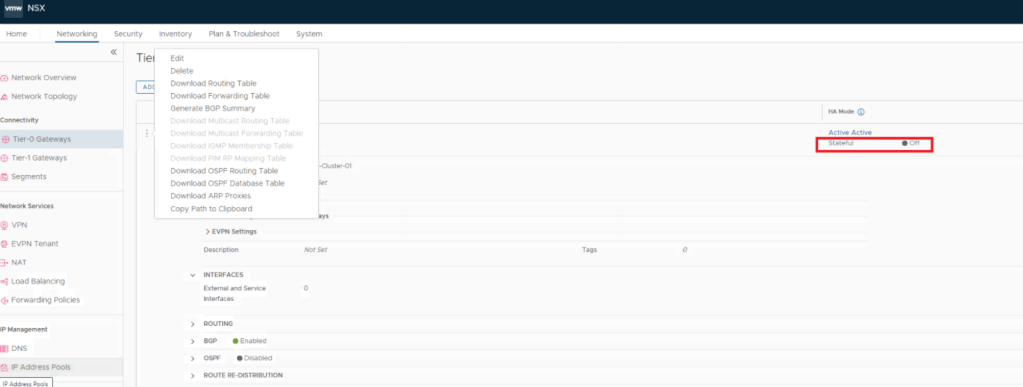
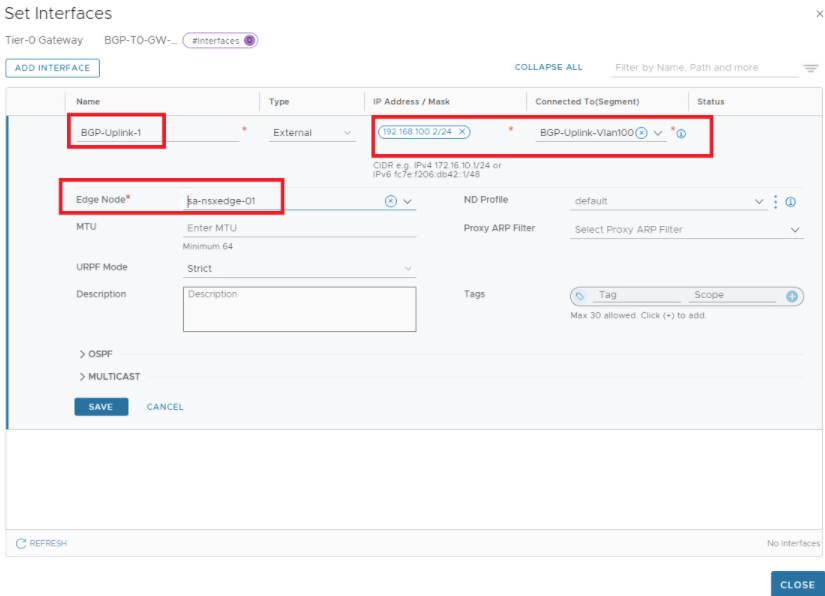
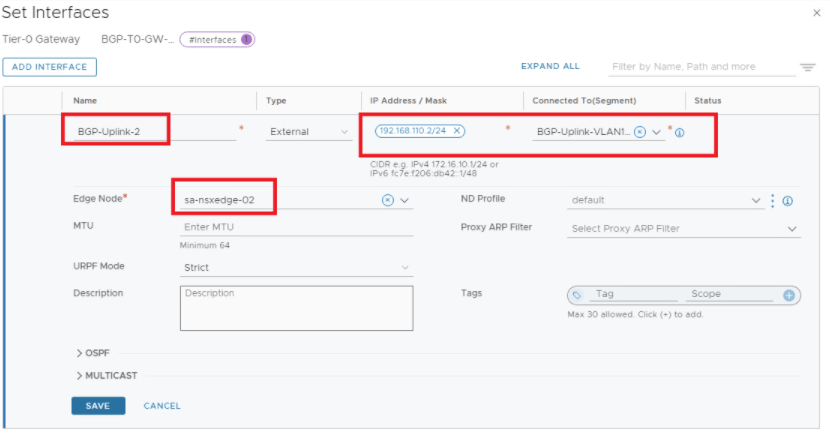
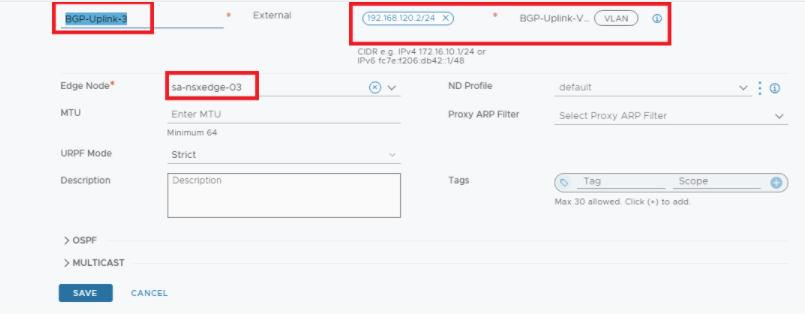
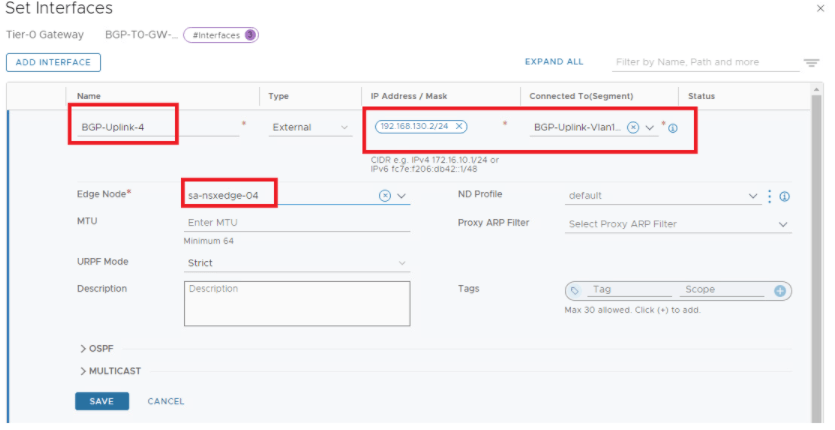
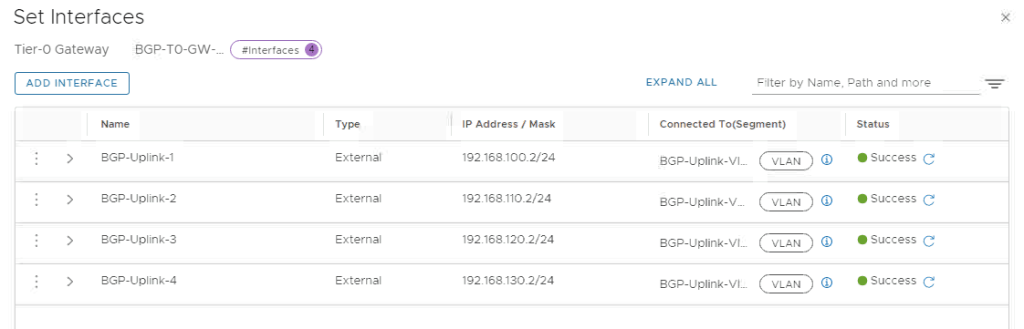
Interfaces are configured, lets continue with BGP configuration.
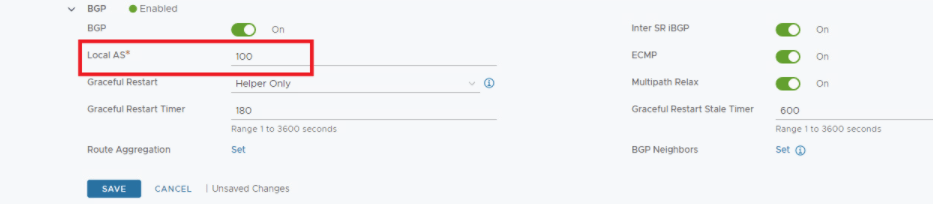
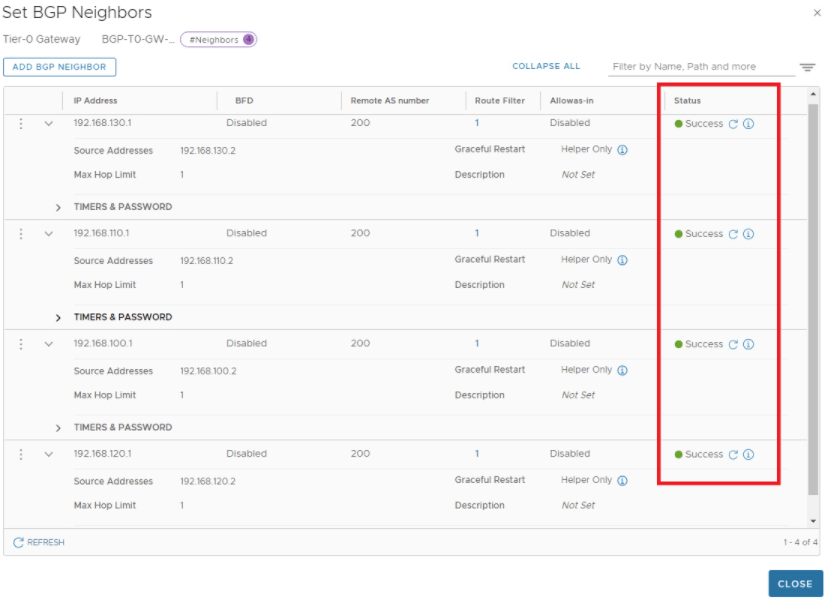
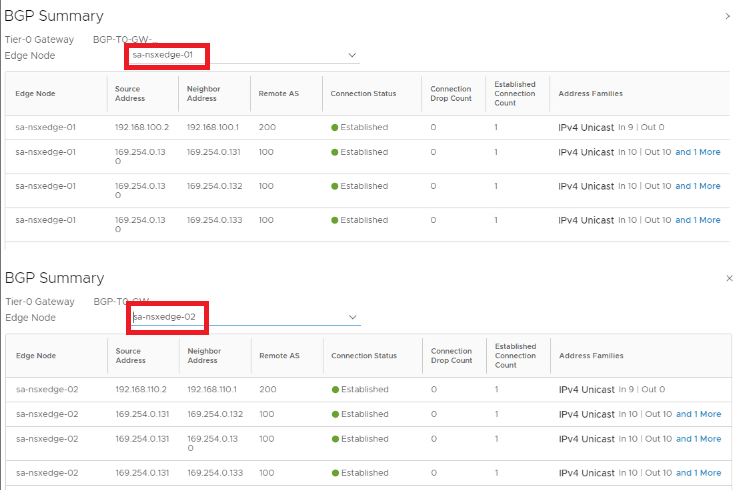
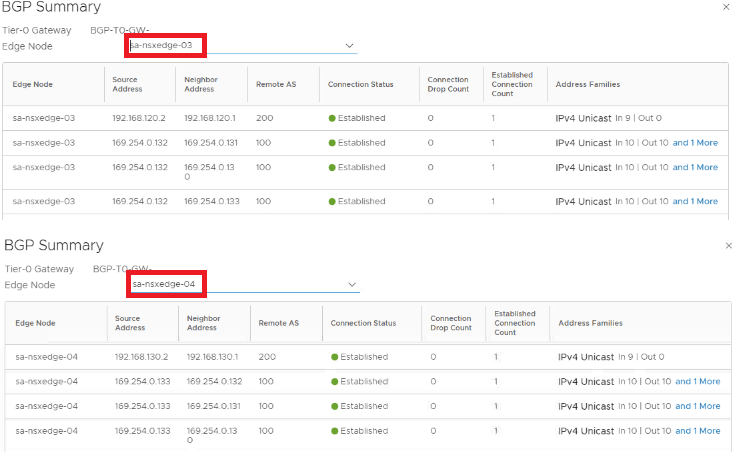
BGP configuration is all done, so Tier-0 is up & running with A-A stateless HA now, lets validate available options for NAT which is a stateful service, how this looks like now before we turn stateful service ON.
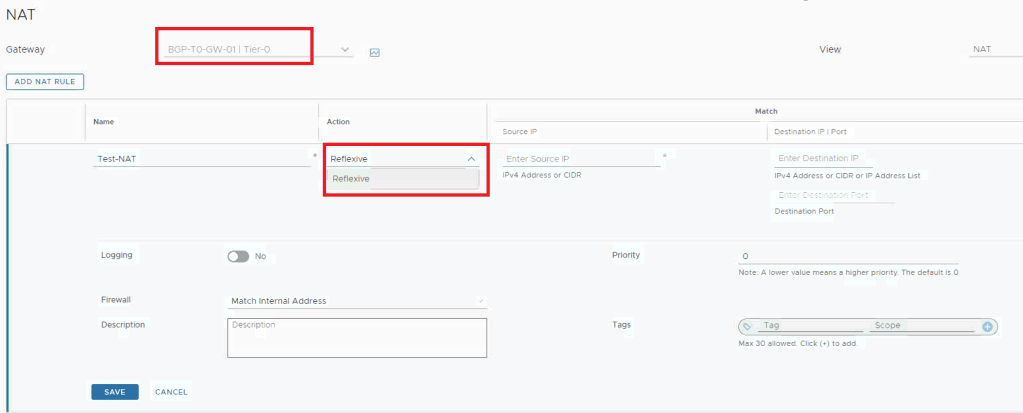
We can see the only available option is Reflexive NAT which is stateless service.
Now Lets proceed to enable stateful service on Tier-0, Note – This is an irreversible action.
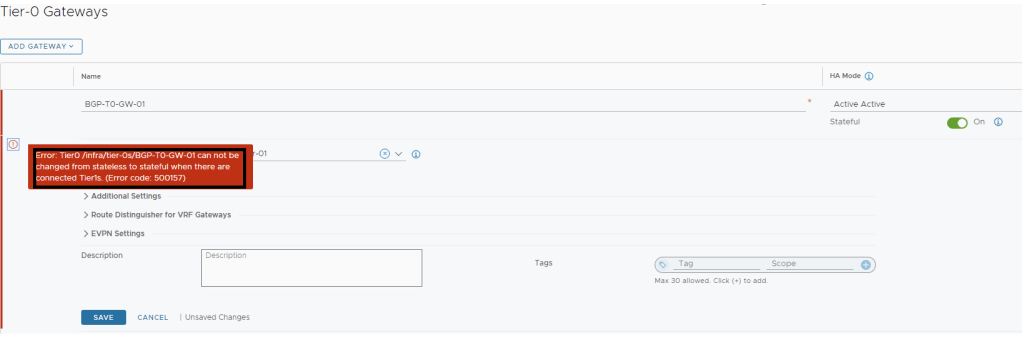
Got an error that state can’t be changed if Tier-1 is attached to this Tier-0, removed the same to proceed.
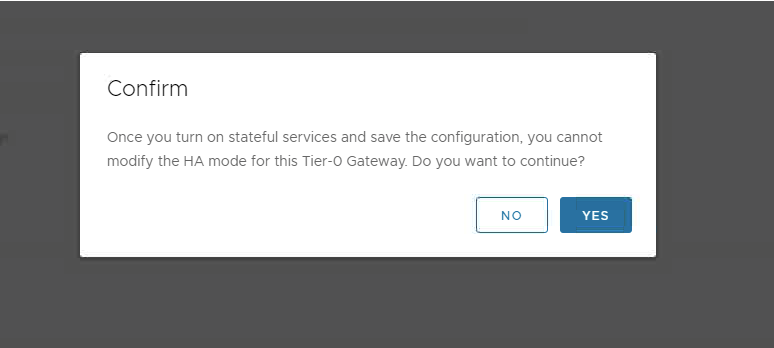
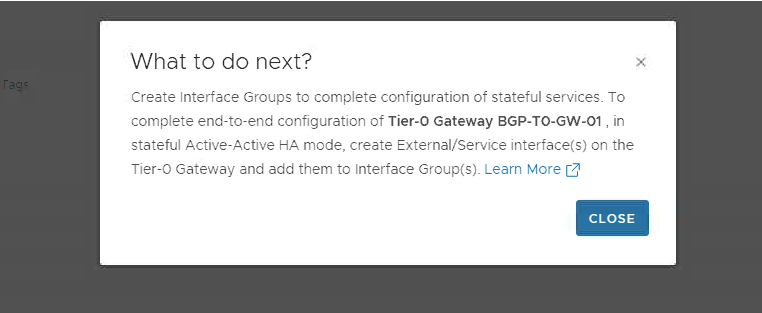
Once we confirm & proceed, there is asked to create an interface group which is nothing but a group of your external interfaces, which is required to complete the configuration.
To define an interface group, meet the following conditions:
- Every interface group must have the same number of interfaces from each service router.
- Only one interface link from each service router of the NSX Edge cluster must participate in the interface group.
- Every interface link must be part of a single interface group.

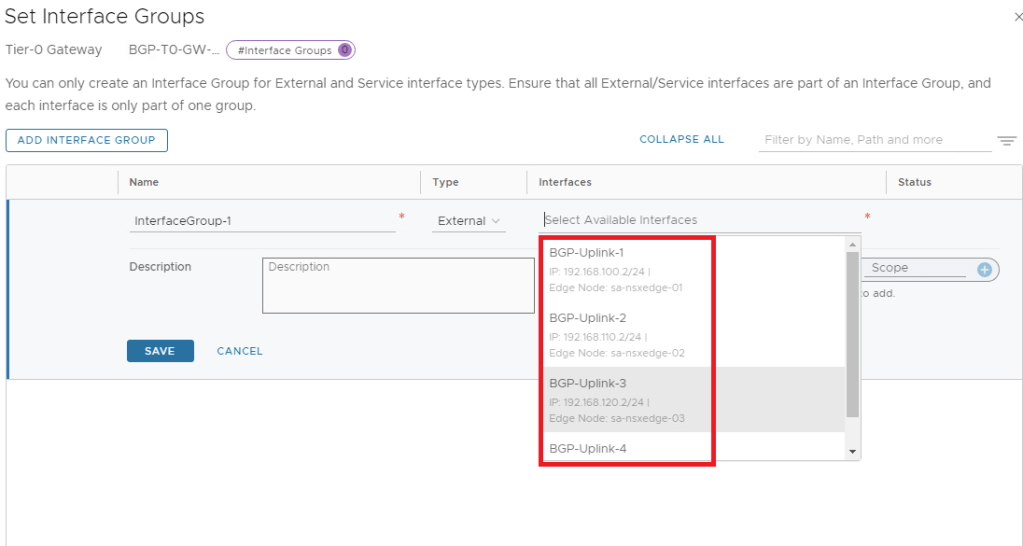
I have kept all interfaces in a single interface group only.
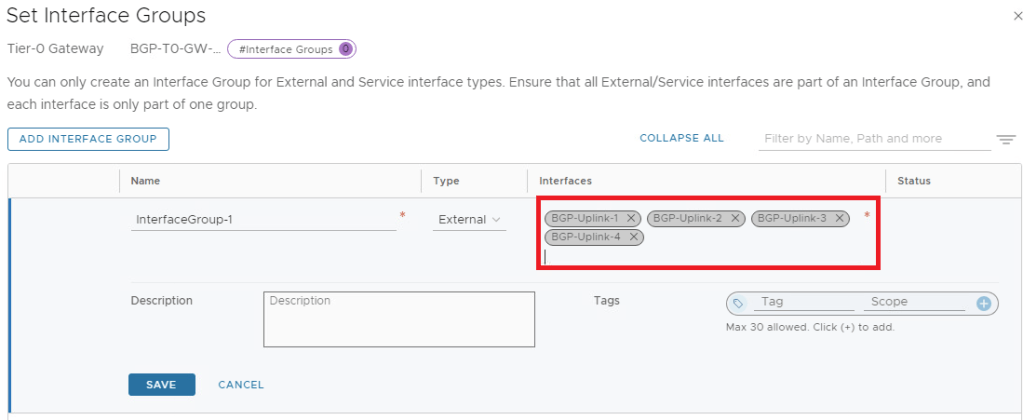
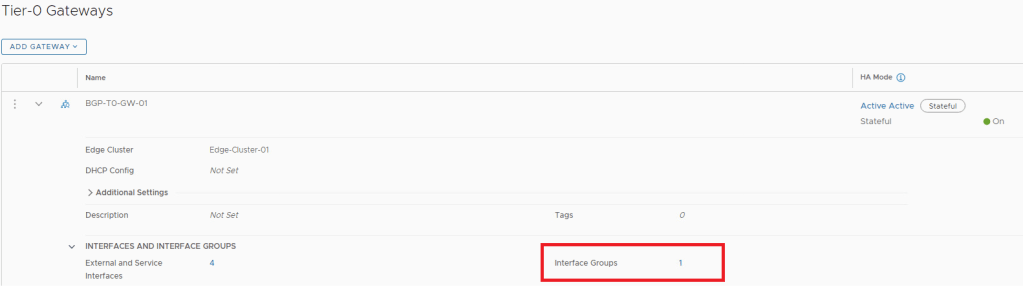
Now lets revalidate the available NAT options.
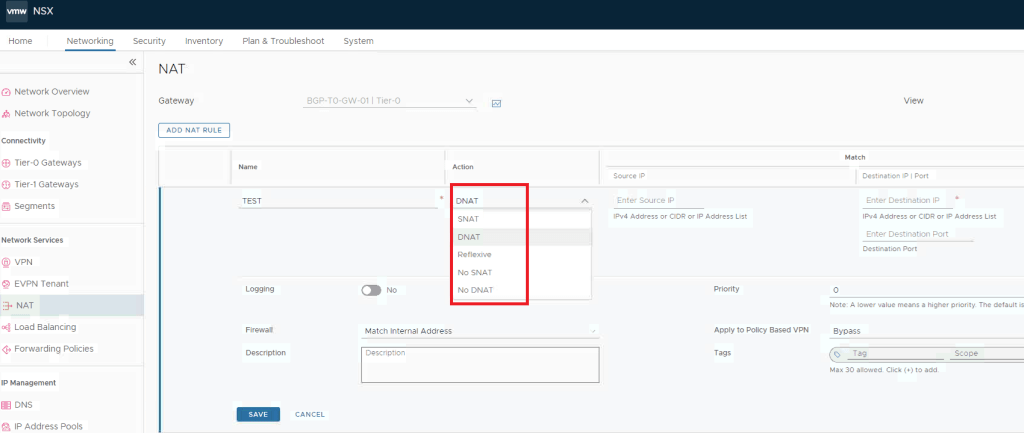
We can see SNAT & DNAT options are available now, which was not showing earlier.
There are much more to discuss about Interface Group , Sub-Clusters concept & failure domains but we will keep it for upcoming blogs, lets conclude it for today, stay tuned…Thanks!

 NSXworld