

Welcome Back !!
We have been discussing about security features VMware NSX offers in previous blogs, today we will focus on Gateway firewall.
Like, What exactly gateway firewall is, Where are the firewall rules get enforced in gateway firewall, When it make sense to use it, along with the use cases.
Gateway firewall is nothing but the perimeter firewall of NSX which is used or can be used to handle North-South traffic, available on both Tier-0 and Tier-1 gateway.
It is important to note that Gateway firewall is applied / enforced on uplink of the Tier-0 & Tier-1, so gateway firewall rules are applicable only if gateway uplink comes in traffic path.
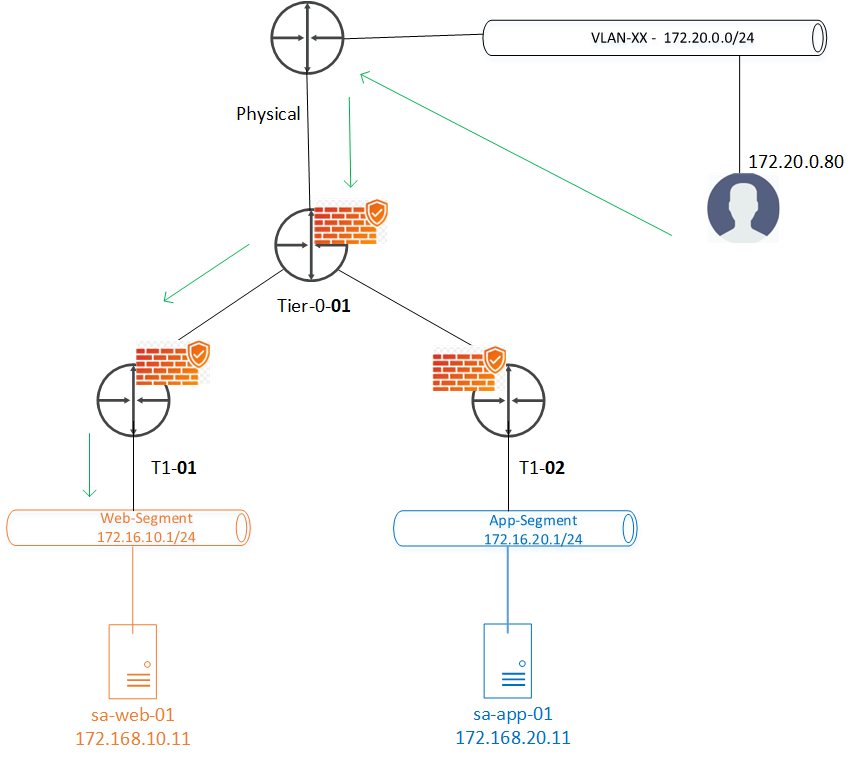
- Two gateway firewalls Tier-0-01 & T1-01 come in picture for the given N-S communication shown above in the topology diagram.
- Traffic can be handled on any of them for this traffic, Lets validate the same on lab.
N-S communication without Gateway Firewall
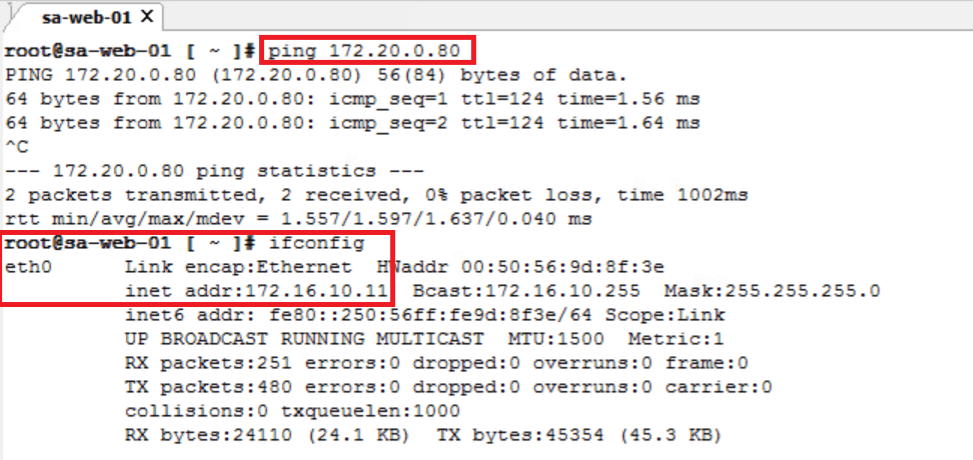
- Able to reach/ping northbound IP172.20.10.80 from sa-web-01
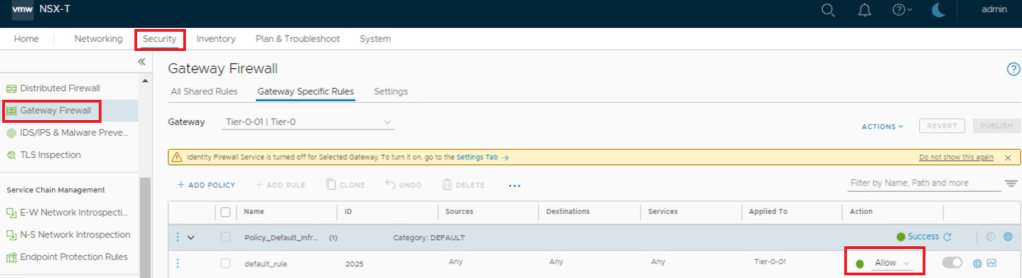
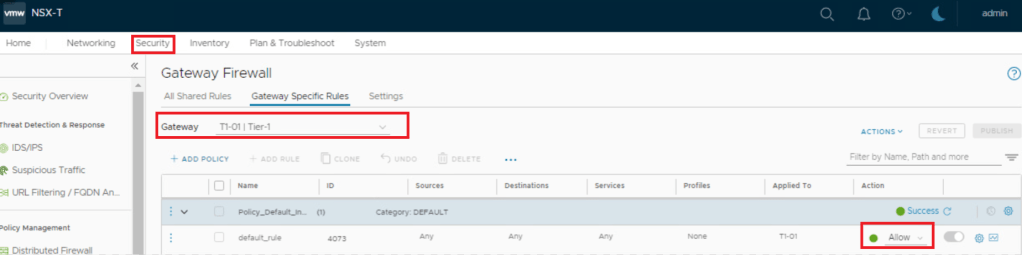
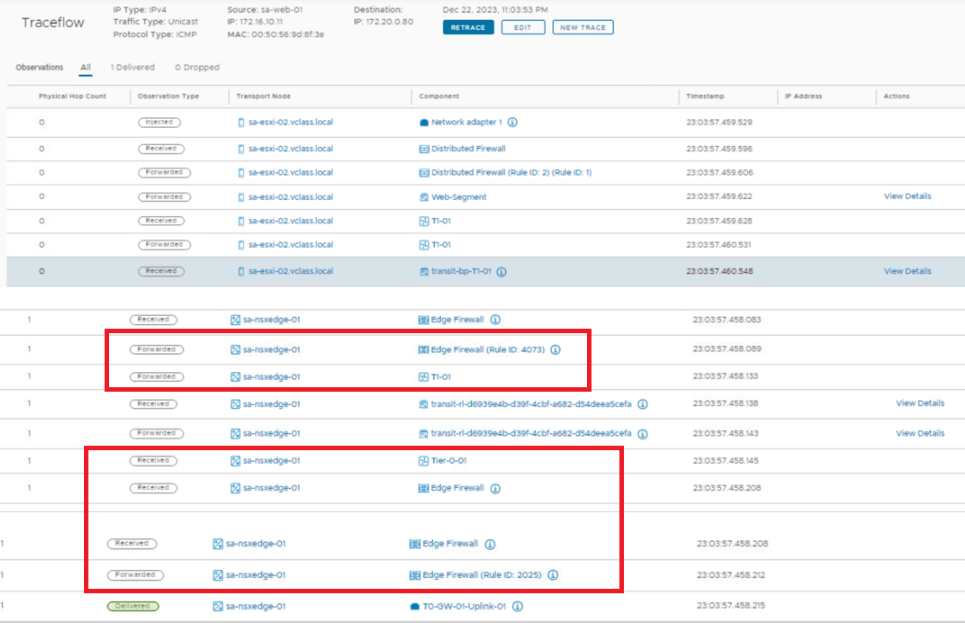
- Below are screenshot of Firewall state & traceroute information at this stage.
- Tier-0 Firewall : Default Rule – Allowed
- Tier-1 Firewall : Default Rule – Allowed
- Trace is getting passed via Tier-1 Firewall and Tier-0 Firewall.
N-S communication with Gateway Firewall
- Tier-0 Firewall : Default Rule – Reject
- Lets reject default traffic at Tier-0.
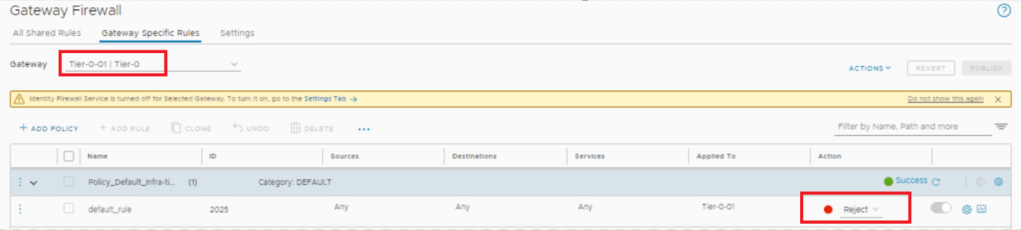
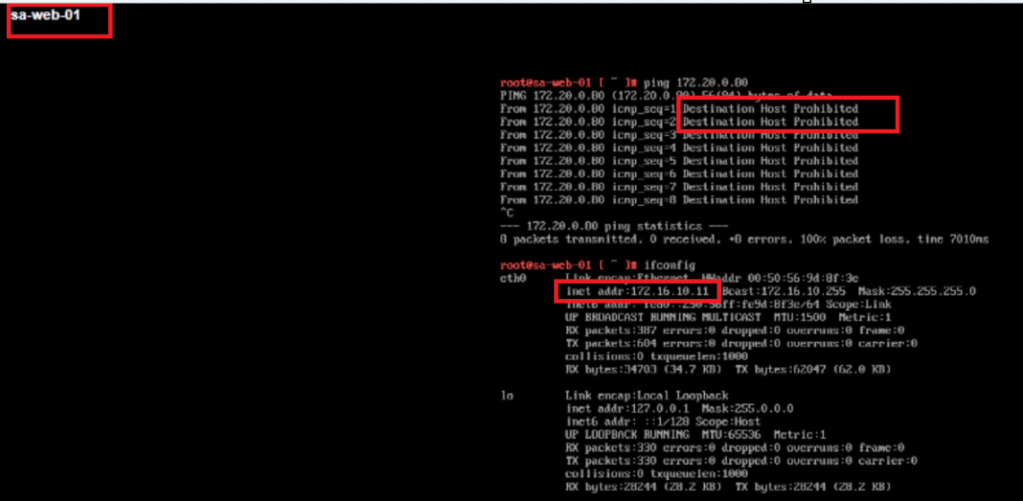
- We notice that N-S communication has been dropped now
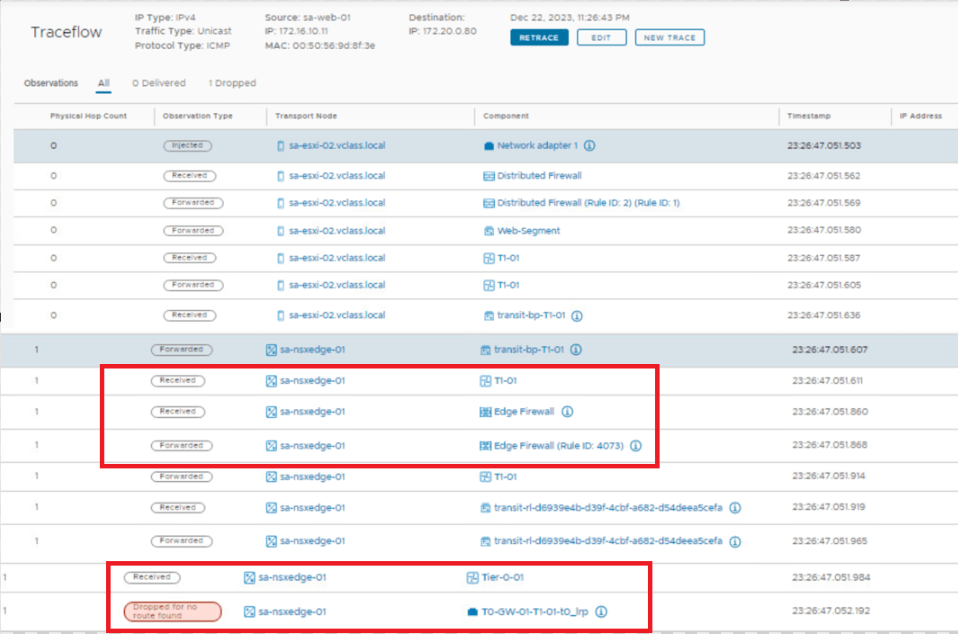
- With traceroute we can see that packet is getting dropped at Tier-0.
- Tier-1 Firewall : Default Rule – Reject
- Lets reject default traffic at Tier-1 as well.
- Expectation is, packet will now dropped at Tier-1 only, while going north.
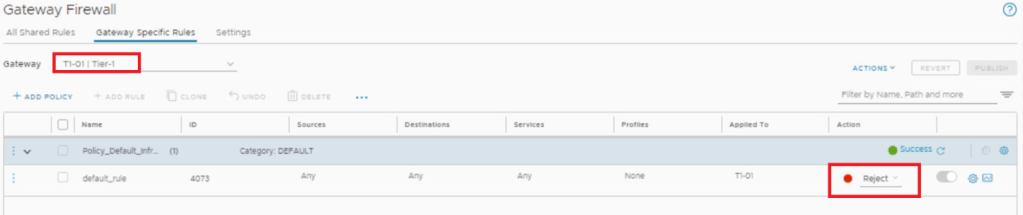
- With below traceroute we can see packet is dropped by firewall rule id – 4073 , which is at Tier-1 gateway.

==============================================================================================================
E-W communication with Gateway Firewall
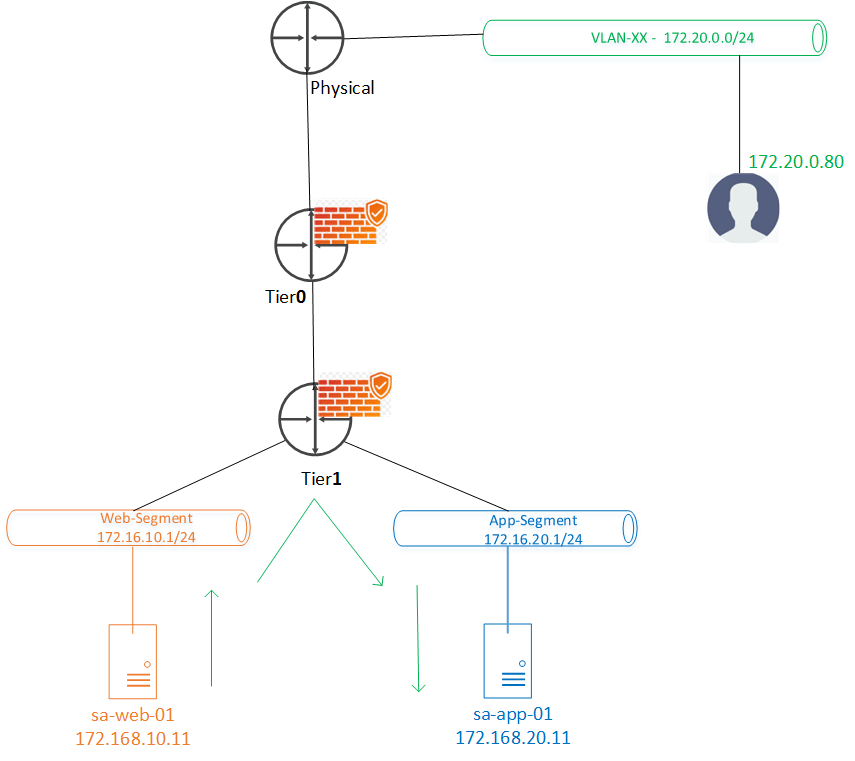
- Gateway firewall doesn’t come in picture for the workloads connected to same T1, since uplink doesn’t appear in packet walk.
- DFW is the option for this use case.
Lets validate the same on lab.
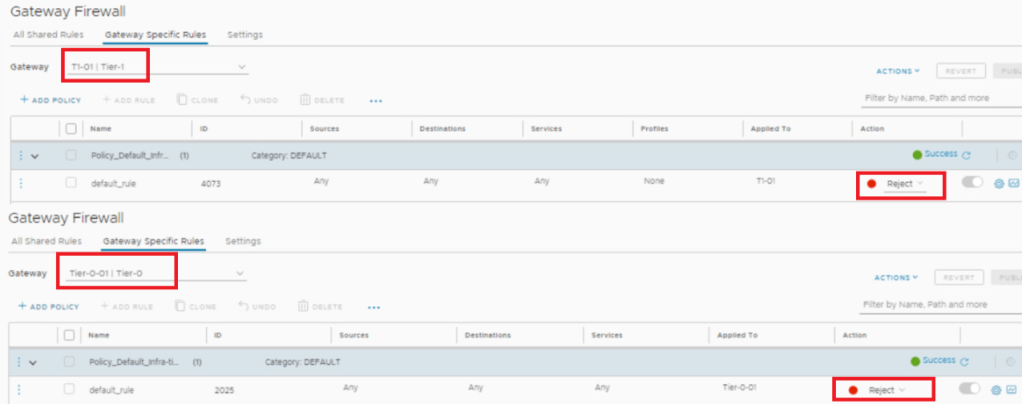
Keeping all the Default – Reject rule at Tier-1 & Tier-0 gateway firewall, lets validate communication shown in above topology.
- Ping sa-web-01/172.168.10.11 >> sa-app-01/172.168.20.11 and vice-versa.
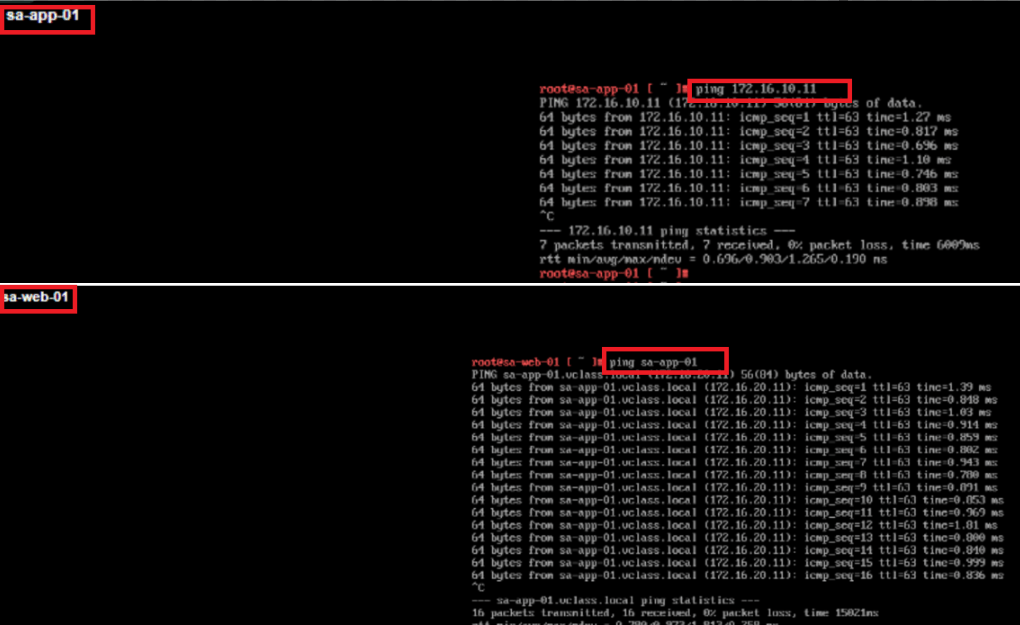
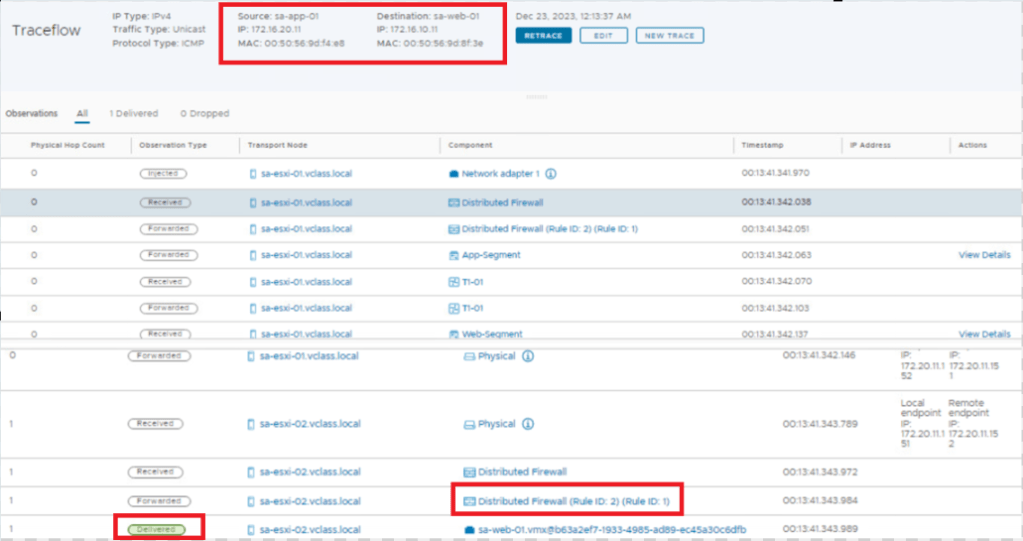
- Traceroute confirms that no gateway uplink comes in picture for this communication, hence no gateway firewall.
- So it hardly matters we have default drop rule at Gateway firewall, E-W communication will still be working.
This is it for today’s blog, we will discuss some new topic in upcoming blogs, stay tuned… !!
—–Thank You—–
Prashant Pandey

 NSXworld