

Welcome Back !!
In previous blog we discussed about NSX Identity firewall also referred as IDFW, Today we will talk about Time based firewall and implement one of the use-case of it.
With Time base firewall rule, VMware NSX security administrator can manage traffic based on time window, which means a firewall rule will be active only for certain period.
One of the use-case can be, you have outsourced some maintenance work to team, who will be working on certain systems only during off business hours only, after that access will be revoked.
In this blog we will be discussing about everything you need to know about Time based Firewall like:
- Key Points to keep in mind while using this feature.
- Prerequisites.
- Implementation of a use-case.
Key Points-
- Time window is applied/applicable on firewall policy and the rules under it.
- Only one time-window can be applied to a firewall policy, if same rule requires different time-window, multiple policies need to be added for same rule with different time-windows.
- Same time-window can be re-used for different firewall policy.
- Minimum interval in a time-window can have is 30 mins.
- Time-window can be applied to DFW as well as Gateway firewall.
- Feature is available on global manager as well. (starting 4.0.1 onwards)
Pre-requisite-
- Since we are talking about time-based policy, it makes sense to have NTP (Network Time Protocol) synchronization in place, just like AD/IDAM was a prerequisite in case of Identity firewall, we discussed in previous blog posts.
- Obviously NSX platform should be deployed and up & running. 😉
- NTP service should be running on data plane / ESX and KVM.
Implementation-
Lets configure a rule and validate the same.
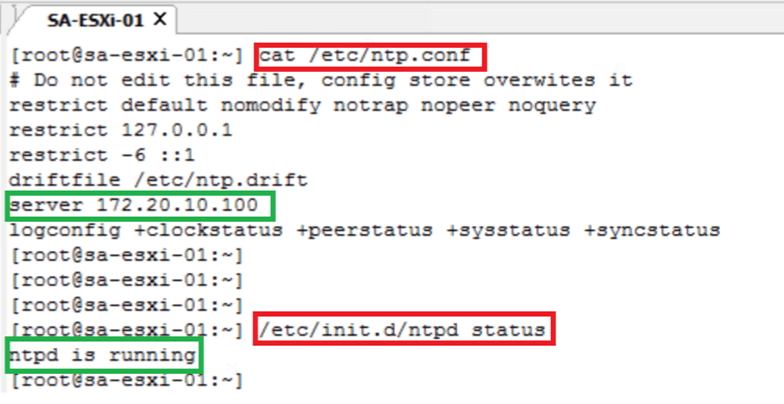
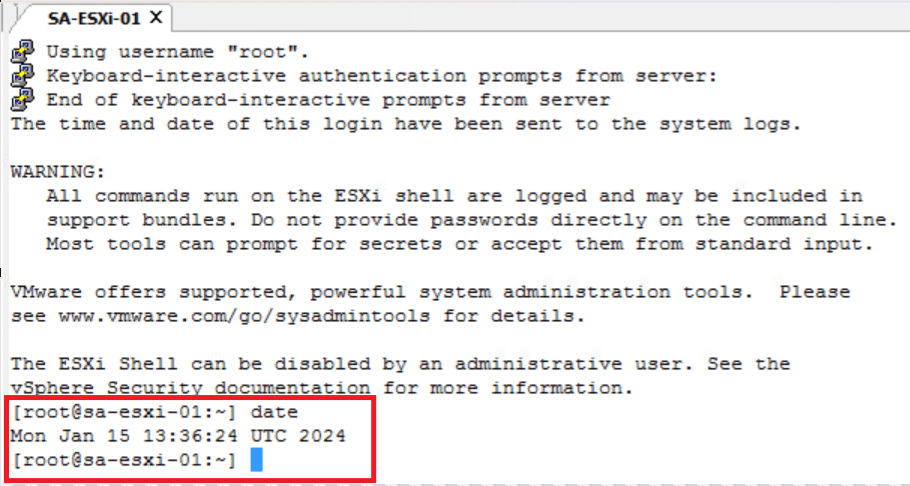
- VERIFY THE NTP STATUS ON ESXi.
cat /etc/ntp.conf // Get NTP server details
/etc/init.d/ntpd status // Get NTP service status
date // Get current time on ESX host
- CONFIGURE THE TIME-BASED DISTRIBUTED FIREWALL RULES
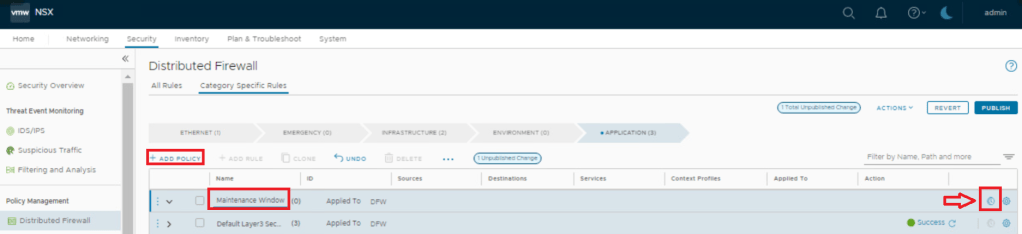
Security > Distributed Firewall > Add Policy > Add time window

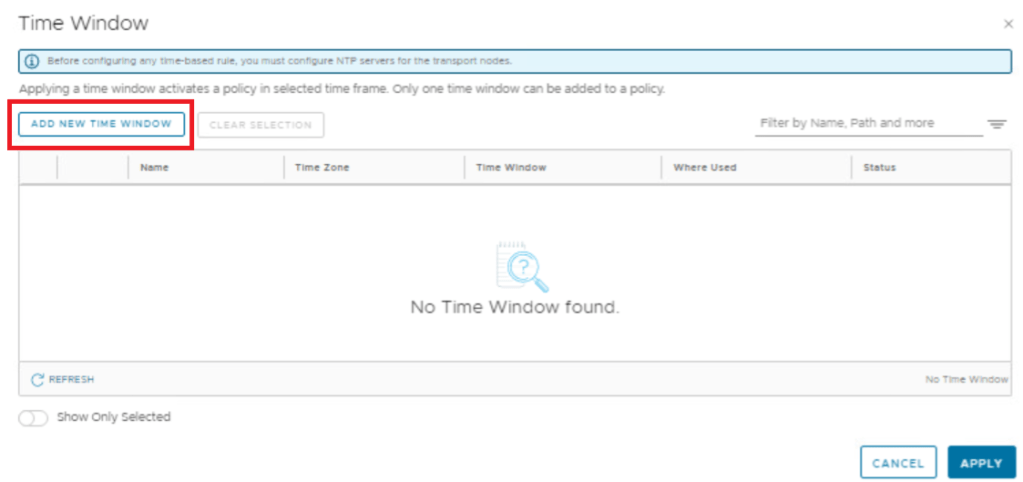

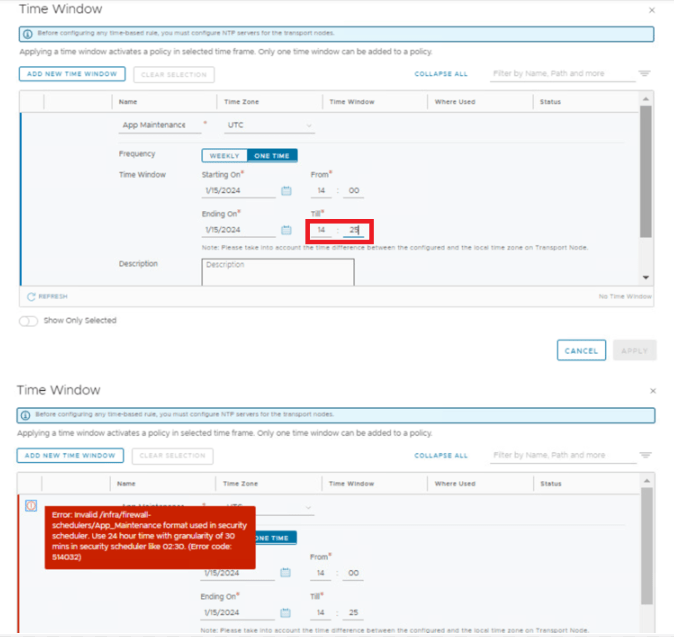
NOTE: Time Window can only accept 30-minute intervals.

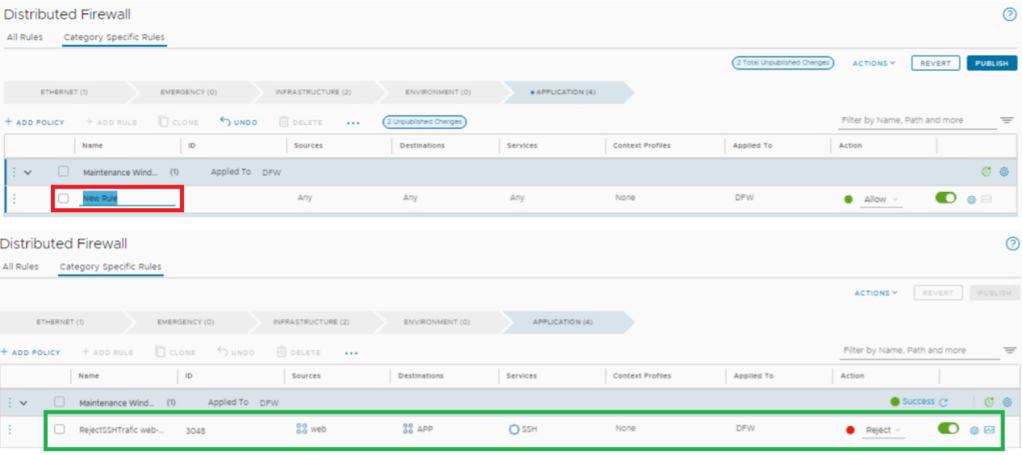
Add rule under Maintenance window policy – to Reject SSH traffic Web-APP
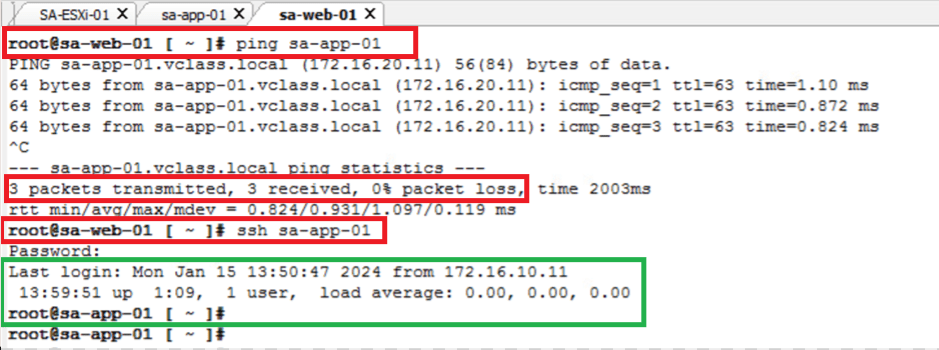
- Connectivity before “Reject SSH time window” starts – we can see that sa-web-01 machine is able to ping as well can SSH sa-app-01 machine.
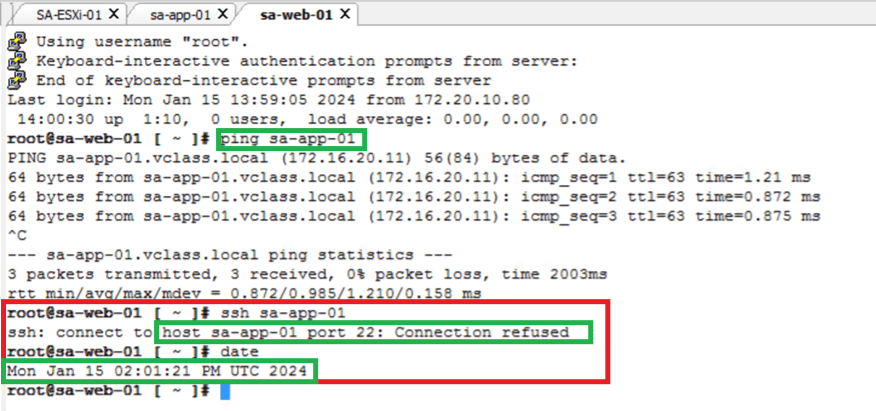
- Connectivity during “Reject SSH time window” – we can see that sa-web-01 machine is able to ping sa-app-01 but no longer SSH.
- Connectivity after “Reject SSH time window” ends – SSH connection restored, since no reject rule is applicable now.
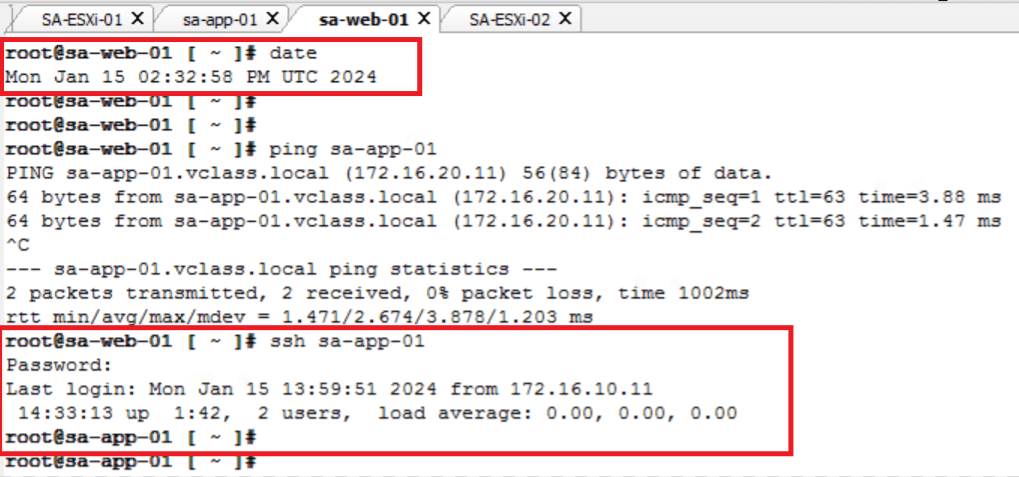
- VALIDATE THE TIME-BASED DISTRIBUTED FIREWALL RULES FROM THE CLI
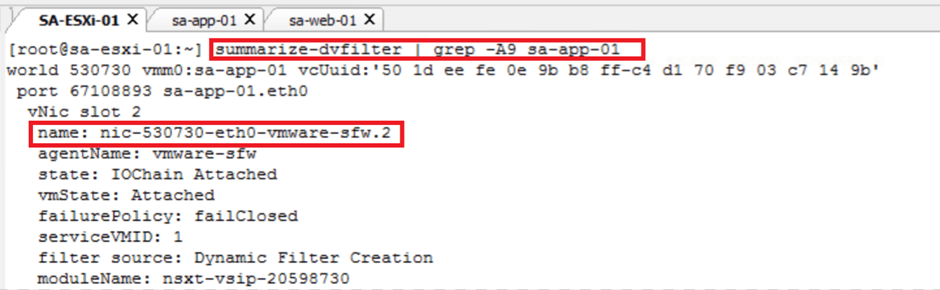
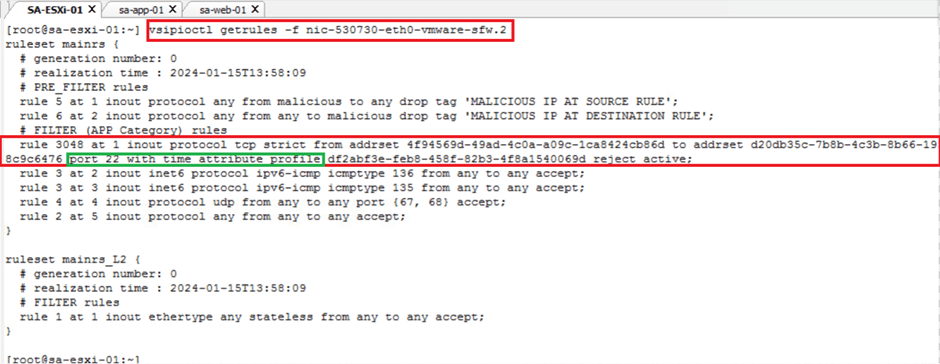
Below are the commands that can be use to validate DFW rules on ESXi hosts.
- summarize-dvfilter // to check dfw rules on particular vmnic / .vmk
- vsipioctl getrules -f nic-530730-eth0-vmware-sfw.2 // to check the rule ids on particular vmnic
- vsipioctl getfwconfig -f nic-530730-eth0-vmware-sfw.2 // to check firewall rule time window

This is it for today’s blog, we will discuss some new topic in upcoming blogs, stay tuned… !!
—–Thank You—–
Prashant Pandey

 NSXworld