
Welcome Back !!
Recently i have completed one of the NSX Federation environment upgrade, there were few points which needs attention while upgrading Federation deployment and are different if we compare to standalone NSX upgrade for obvious reasons like –
We have only single NSX cluster in standalone deployment , but multiple NSX manager clusters (local manager & global manager) in case of federation.
Question arises-
- How Federation upgrade is similar or different than usual standalone NSX upgrade ?
- How the upgrade flow looks like in case of federation ?
I have tried to summarized all key points & captured the same in this blog.
Similarities–
- No change if we talk about Prechecks, Interoperability checks, backups & best practices, so everything around prechecks still stand same.
Differences –
- No need to look for Orchestrator node to run upgrade – In standalone NSX deployment, we look for Orchestrator node IP (get service install-upgrade) to run the upgrade and we can’t run it from FQDN.
- In Case of federation, we run the upgrade from Global Manager VIP user interface & GM takes care further.
Upgrade Flow –
Upgrade will run from Active GM VIP UI.
- Upgrade Primary LM.
upload bundle > upgrade coordinator > upgrade edges > upgrade hosts > upgrade manger cluster.
- Upgrade Secondary LM/ LMs (incase more than 2 Sites, secondary LMs might be more than 1)
upload bundle > upgrade coordinator > upgrade edges > upgrade hosts > upgrade manger cluster.
- Upgrade Standby GM.
upload bundle > upgrade manger cluster.
- Upgrade Active GM.
upload bundle > upgrade manger cluster.
==============================================================================================================
Lets start the upgrade demo – Current Version 3.1.0 > Target Version 3.2.3.
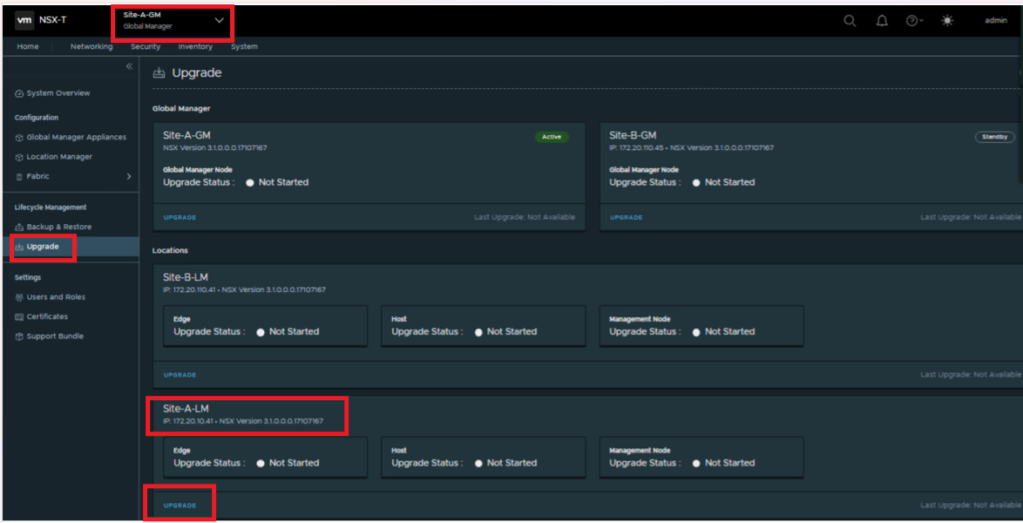
Login to GM UI > Upgrade > Site-A-LM > Upgrade, this is take you to Site-A-LM.

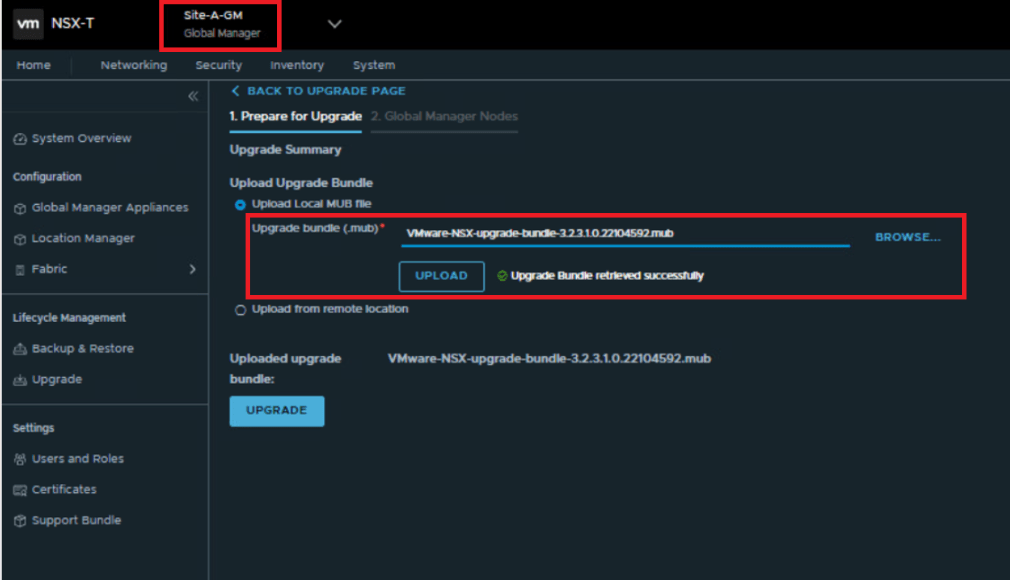
Upload the downloaded upgrade bundle from your local drive or you may upload it from the remote location as well.

Once the upgrade bundle is uploaded, Run Prechecks option gets enabled, We should run it & validate here, and accordingly proceed.
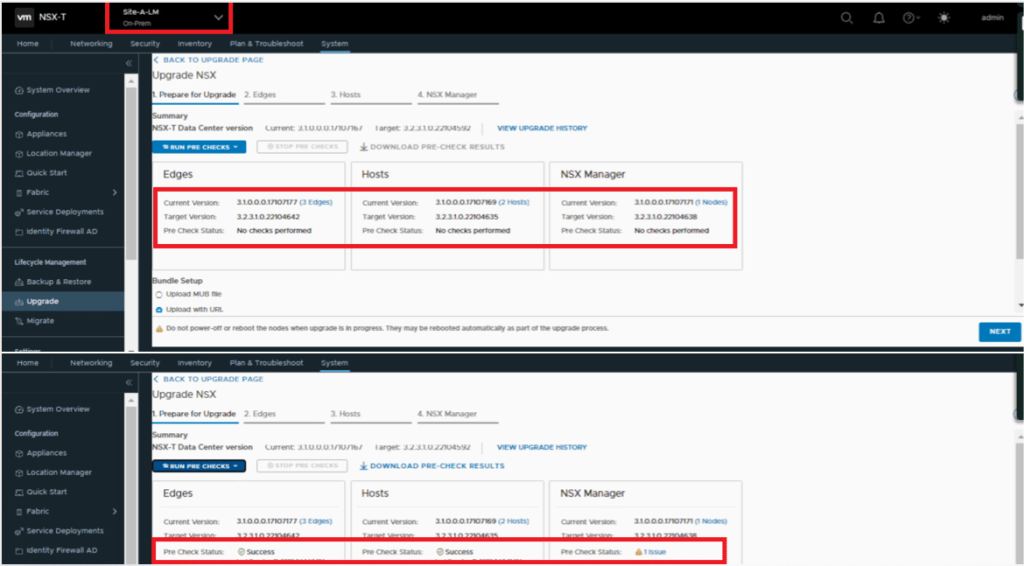
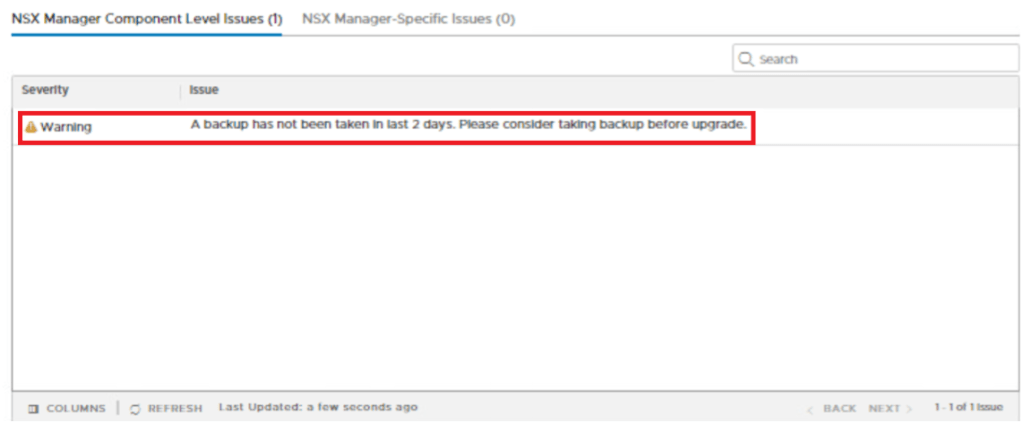
We can see that prechecks for the Edge & hosts has been passed successfully, however we see an issue on NSX manager stating backup has not been taken in last 2 days, Ignoring it as this is only a lab environment.
- For production, a successful manual backup is recommended before upgrade.
- Auto-backup should be turned off for the entire activity.
Upgrade Order – We have an option to choose upgrade order as Serial & Parallel.
- Serial – Each object Edge Node/ESX host within group will be upgraded one by one.
- Parallel – Objects Edge Nodes/ESX hosts within group will be upgraded will be upgraded simultaneously, Maximum 5 nodes can be upgraded simultaneously.
I have gone for Serial approach here, since i only have 2 edge nodes in the environment, going with serial approach ensures one node is always UP and forwarding the N-S traffic.

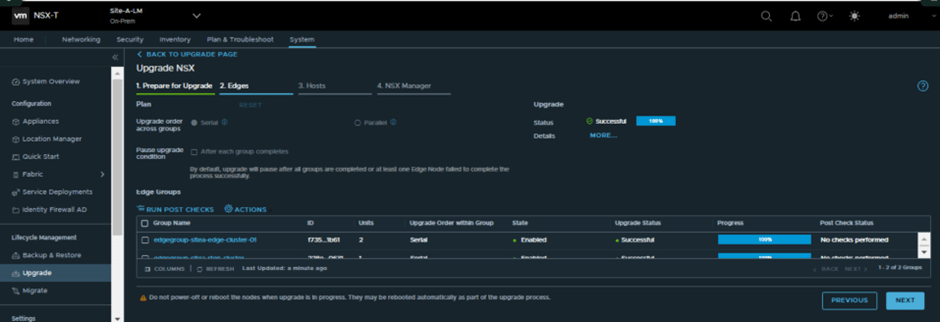

Average upgrade time which i have noticed during the NSX upgrade is mentioned below, However this may vary in different environments.
- Per Edge Node – 20 Mins
- Per Host Node – 10-15 Mins
- Per NSX Manager Cluster – 30-35 Mins
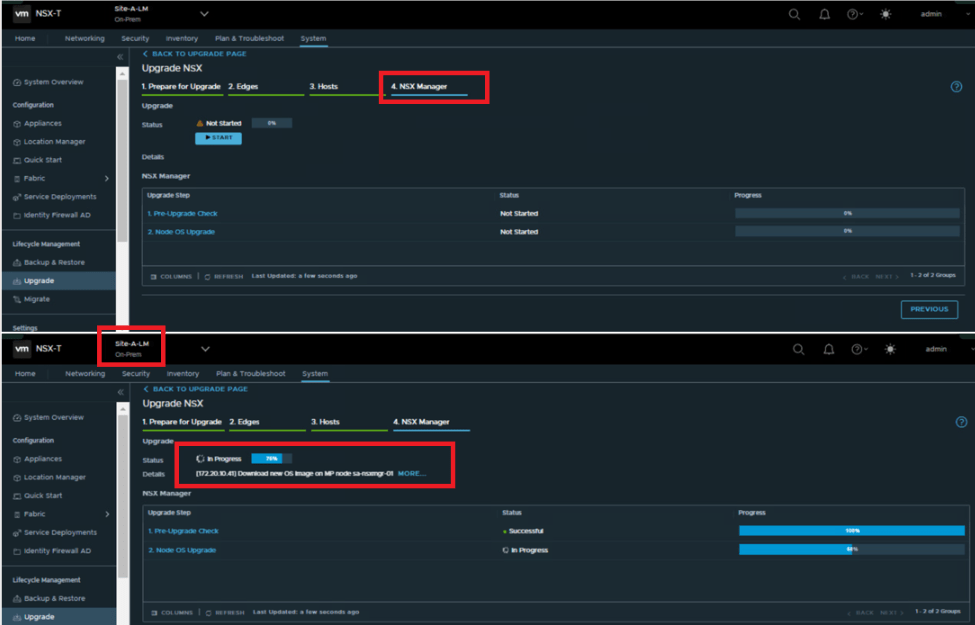
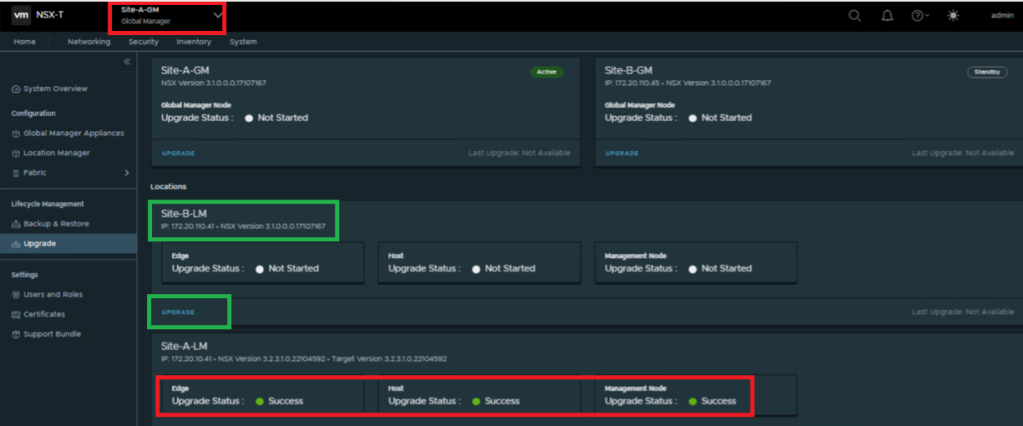
Once LM is upgraded , GM UI will look like below. and we are ready to proceed with another LM (Site-B)

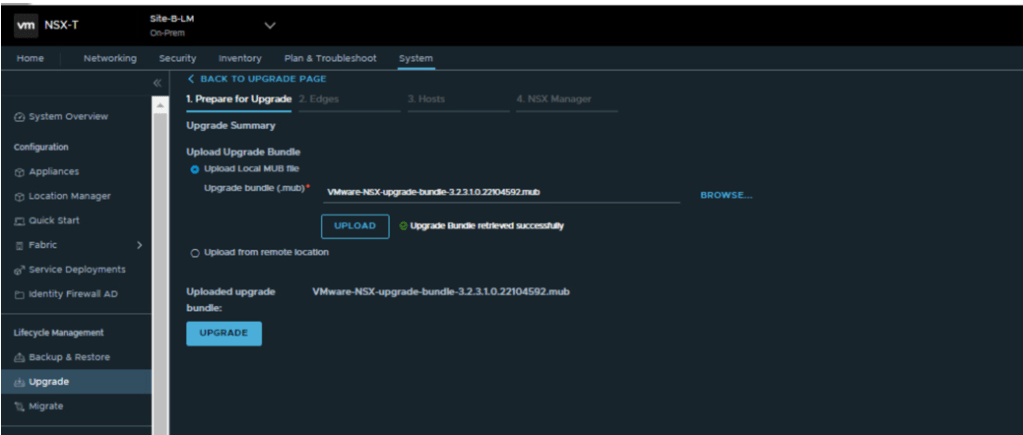
Upload upgrade bundle, which might take few minutes.
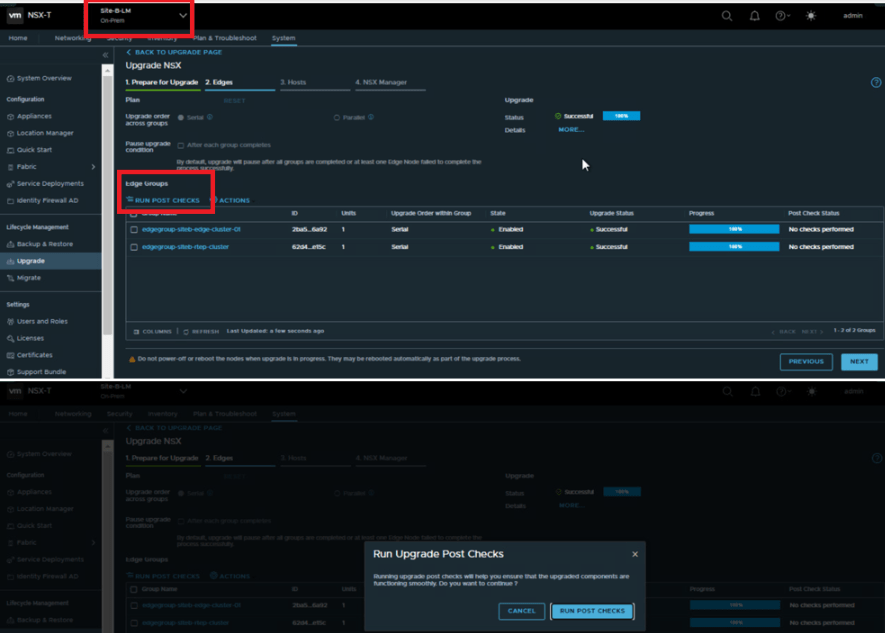
After completing upgrade on each module like Edges/Hosts, we have an option to Run Post-Checks which is inbuilt features and ensures if we are good after each module upgrade.


Once Site-B LM is upgraded , GM UI will look like below. and we are ready to proceed with another GM of stand by site.
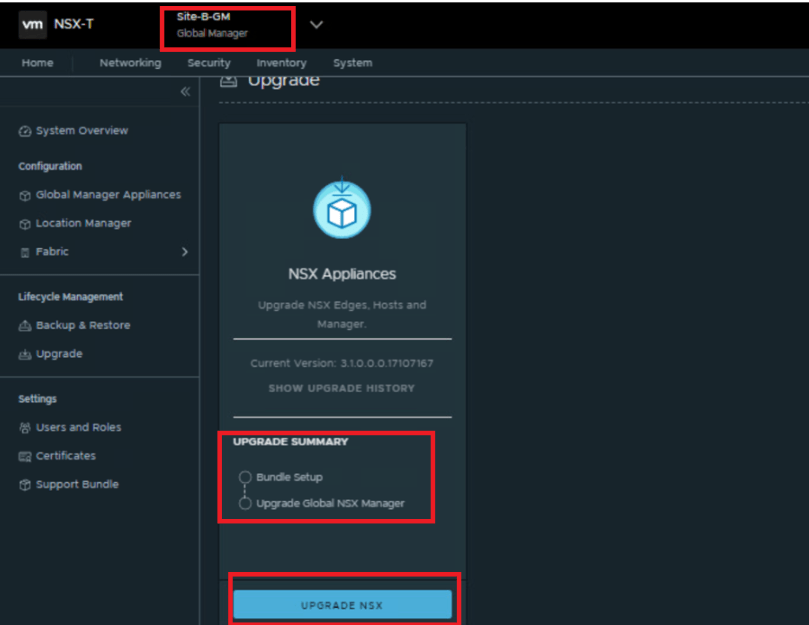
Note- We can see in the upgrade summary that No Edges/Hosts are present here, Global NSX manager will be upgraded.

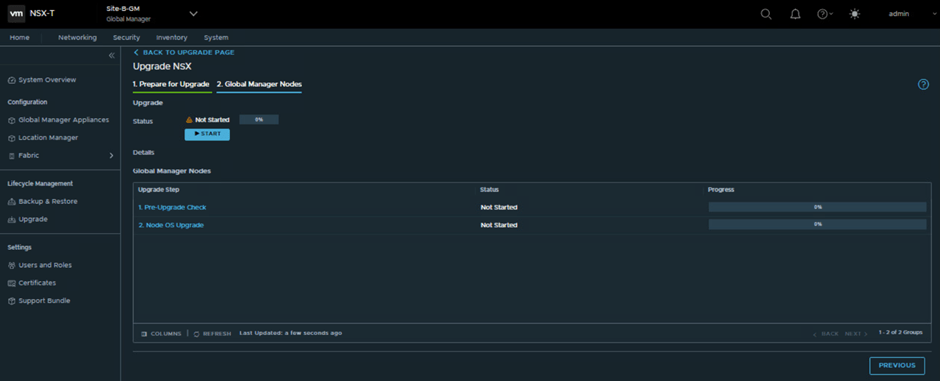
Once GM Standby is upgraded, UI of active GM will look like below, and we are good to proceed with final step of the Active site GM upgrade.
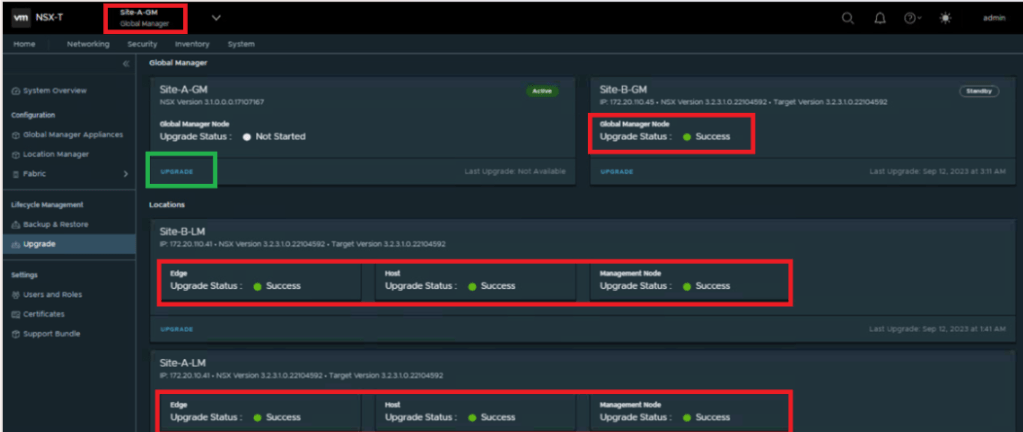


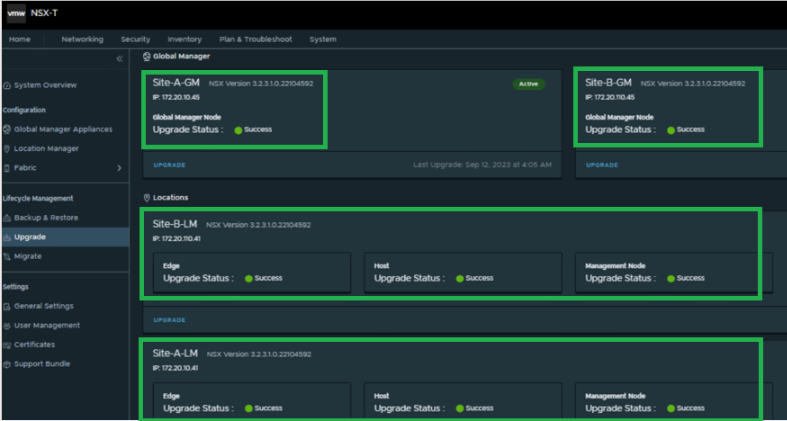
Once the upgrade is over the UI will look like below, where we can see the latest version in front of all Sites LM & GM.

This is it for today’s blog, we will discuss some new topic in upcoming blogs, stay tuned… !!
PS: any Improvement points or suggestions are welcome.
—–Thank You—–
Prashant Pandey

 NSXworld