
Background : Live packet capture plays an important role while troubleshooting NSX distributed firewall, Recently I completed one of the micro-segmentation implementation in brownfield environment, added all required flows for the applications & made default rule “DENY” at the end during maintenance window.
One of the application owner reported that “XYZ” application has stopped working, with live packet capture we got the actual insight of packet flow & service ports.
I thought to document the usual commands & packet capture points for easy future reference, You may go through the same below.
Live Packet Capture on ESXi can be done via below 2 utilities.
- tcpdump-uw
- TCP dump is an older yet powerful way of packet capture, which we are aware of.
- TCP dump capture VM traffic at VM Kernel level, but can’t capture the same at Uplinks/pNic, virtual switchports level.
- pktcap-uw
- pktcap is more advance tool which has more capture point compared to tcpdump-uw.
- pktcap can capture the packets at
vmnic/pNIc level
switchport level
vmk/kernel level
In this blog we will be focusing on pktcap-uw.
Key points
- To use pktcap-uw, esxi version should be 5.5 or later, which I believe 99% of the CX are 😉
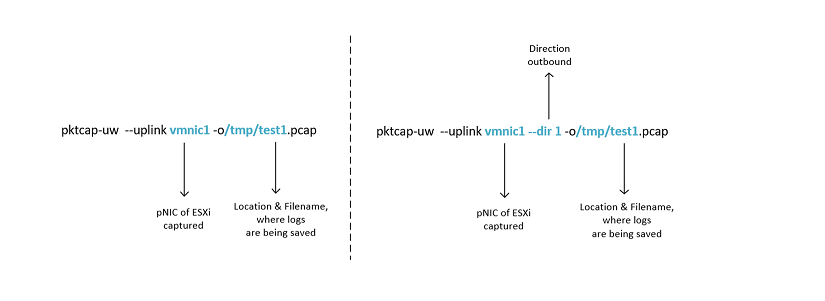
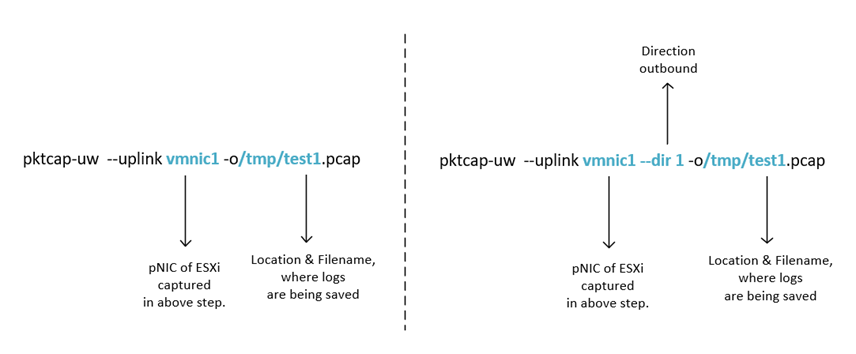
- By default, packets are captured for inbound only, however direction can be set explicitly by-
— dir 0 for inbound
— dir 1 for outbound
— dir 2 for bidirectional
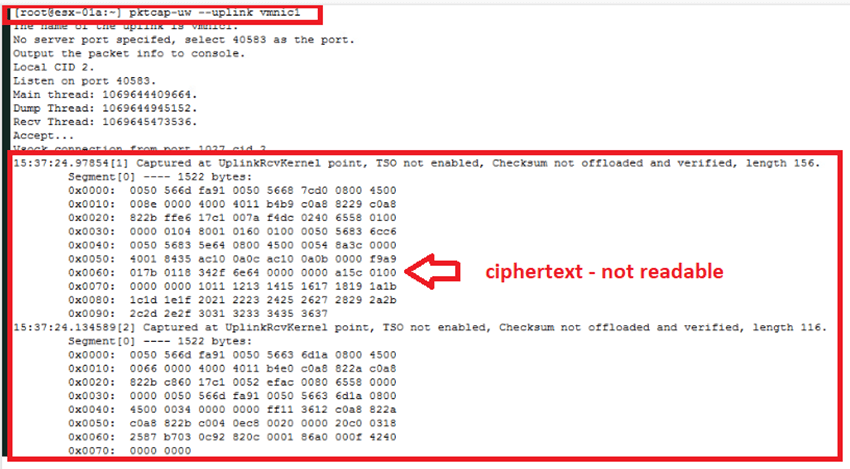
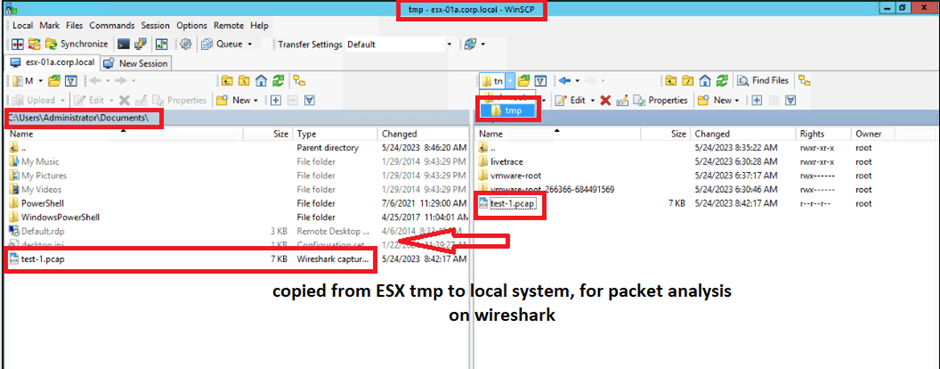
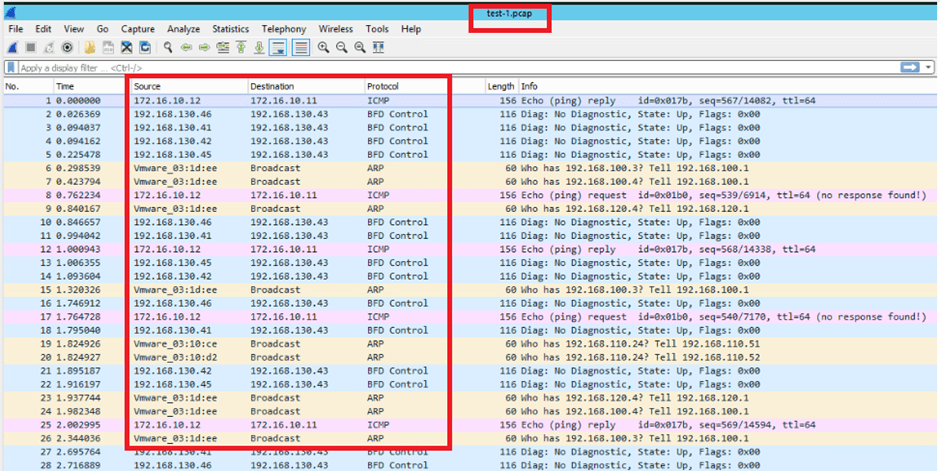
- Packets are captured in ciphertext, which needs to be saved to a file/directory first and then to be transferred to local system for examination in tool like Wireshark.
Use cases:
- Packet capture on ESXi physical NIC used by specific VM residing over it.
- Packet capture on vDS switchport connected to VM vNIC.
- Packet capture on kernel port. (Used for TEP / management traffic)
- Packet capture on ESXi physical NIC used by specific VM residing over it.
To proceed further we first need to validate that which physical NIC is being used by virtual machine for which we wanted to capture packet, in our example the VM name is web-01a.
As in practical environment there would be 2 to 4 physical which would be sharing the traffic of N number of VMs residing over it.
- esxtop is the go-to command to check for the same.

- Press “N” to get the desired output.
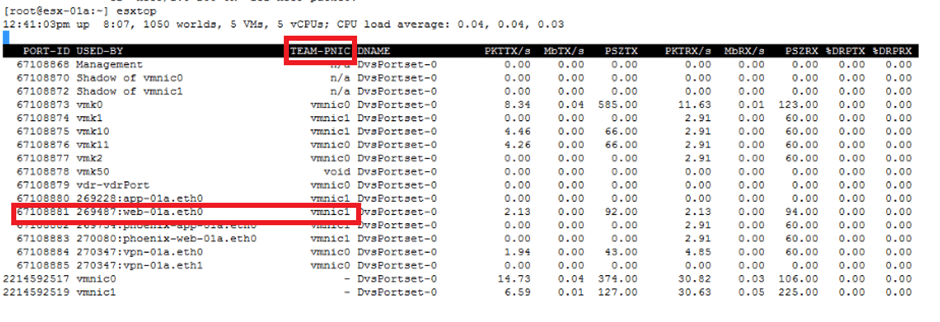
- With above output we can see that web-01a VM is assigned to vmnic1 pNIC, so we can start capturing the packet on the same.
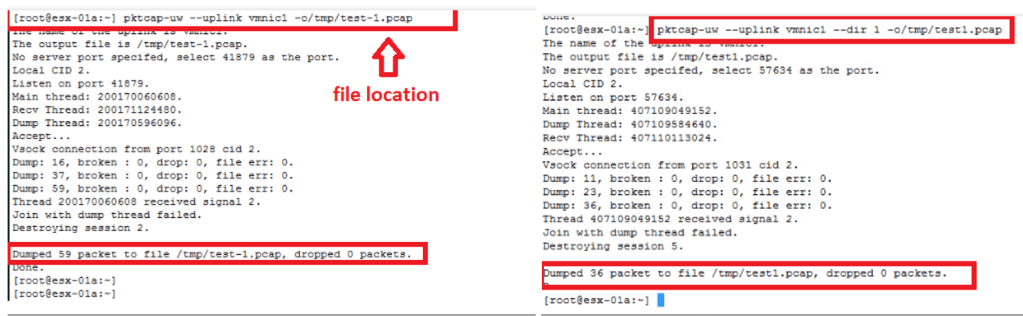
- pktcap-uw –uplink vmnic1 –dir 1 -o/tmp/test1.pcap
- pktcap-uw –uplink vmnic1 –dir 1 -o/tmp/test1.pcap
- Pktcap-uw -h ———– refer this for help & explore other available options.
2. Packet capture on vDS switchport connected to VM vNIC.
- To capture VM vNIC traffic, we need to look for switchport id from ESX, via esxtop command.
- esxtop
- enter “N”
- esxtop

- With above output we have got “67108881” as port-id for web-01a VM.
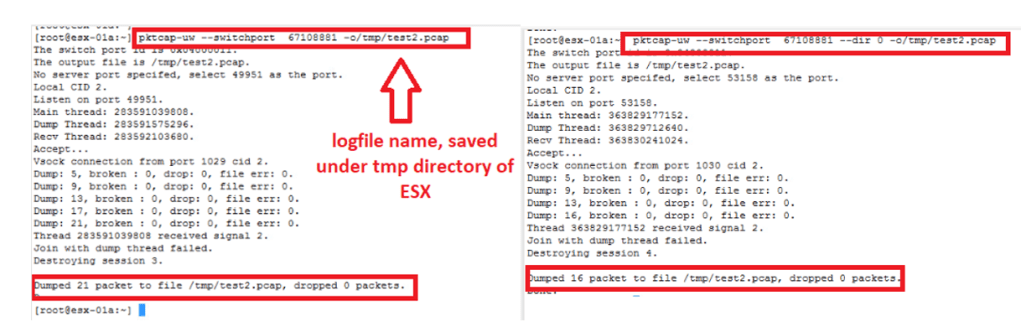
- Pktcap-uw –switchport 67108881 -o/tmp/test2.pcap
- Pktcap-uw –switchport 67108881 — dir 0 -o/tmp/test2.pcap
- Pktcap-uw -h ———– refer this for help & explore other available options.
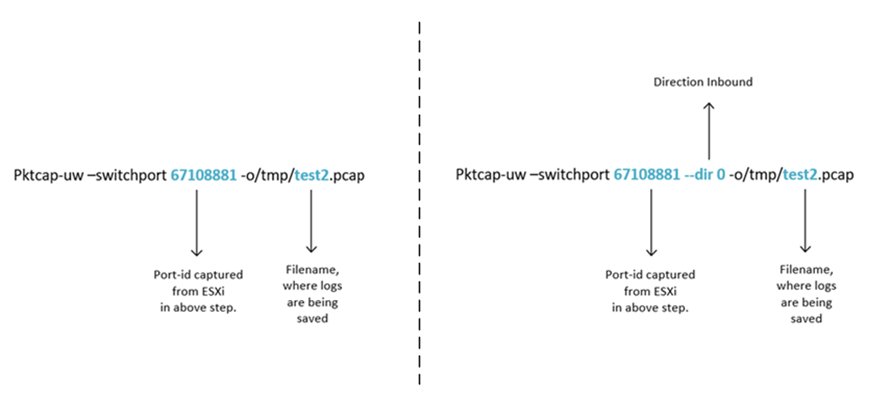
test2.pcap file can be viewed in Wireshark, similarly as above example. (Refer use-case number 1 of this blog.)
3. Packet capture on kernel port. (Used for TEP / management traffic)
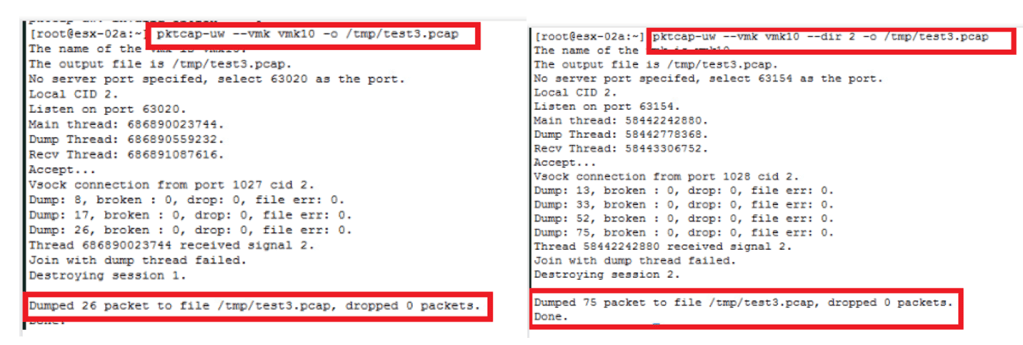
- pktcap-uw –vmk vmk10 -o/tmp/test3.pcap
- pktcap-uw –vmk vmk10 –dir 2 -o/tmp/test3.pcap
- Pktcap-uw -h ———– refer this for help & explore other available options.
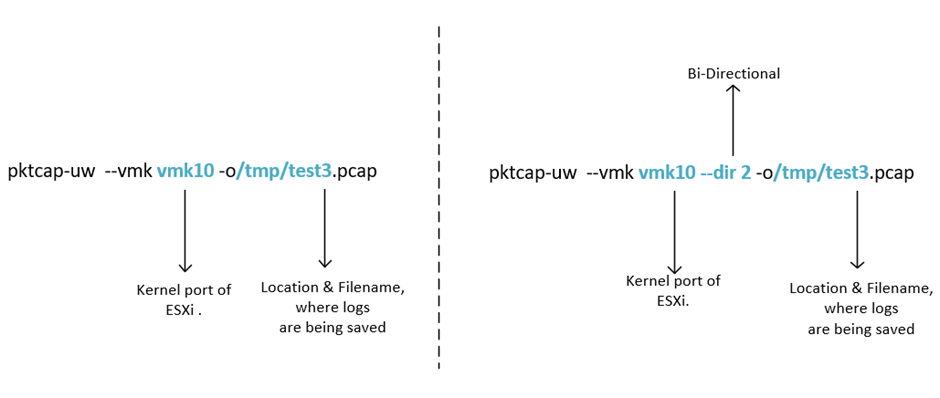
- test3.pcap file can be viewed in Wireshark, similarly as above example. (Refer use-case number 1 of this blog.)
This is it for today’s blog, we will discuss some new topic in upcoming blogs, stay tuned… !!
PS: any Improvement points or suggestions are welcome.
—–Thank You—–
Prashant Pandey

 NSXworld